
AI Photo Editing for Instagram: Tools That Actually Work in 2026
Your Instagram feed deserves better than basic filters — and in 2026, AI photo editing tools are finally delivering on that promise.
We've all been there. You capture the perfect shot at golden hour, but there's a random stranger in the background. Or you nail the composition, but the lighting is off. Traditional editing meant either living with these flaws or spending hours learning Photoshop. Not anymore.
AI photo editors have matured from gimmicky toys into genuinely useful tools. The best ones now understand context, preserve details, and produce results that don't scream "edited by an algorithm." But with dozens of apps claiming to be the best, which ones actually deliver for Instagram content?
We tested 15+ AI photo editing apps over the past month, specifically for Instagram use cases. Here's what actually works in 2026 — and what's just hype.
The Problem Instagram Creators Actually Face
Before diving into apps, let's be honest about what Instagram editing actually requires. It's not about creating fantasy artwork or generating entirely new images. It's about fixing real photos to look their best.
"I tested 21+ photo editing apps — most are either too complex for quick posts or the AI just... makes things worse. The faces look plastic, the backgrounds look fake."— Reddit user in r/IPhoneApps
The common pain points we see constantly:
- Unwanted objects and people — tourists in your travel shots, power lines in landscapes, someone's elbow in your cafe pic
- Old or damaged photos — that throwback Thursday content from your parents' albums that's scratched and faded
- Quick enhancements — making a good photo great without spending 20 minutes tweaking sliders
- Group photo creation — combining individual shots when you couldn't get everyone together
Most AI editors handle one of these well but fall apart on others. The trick is finding apps that genuinely solve multiple problems without introducing new ones.
What Actually Works in 2026: Our Top Picks
After extensive testing, we narrowed it down to three apps that consistently deliver for Instagram-ready edits. Each has different strengths, so the best choice depends on your specific needs.
1. Snapseed
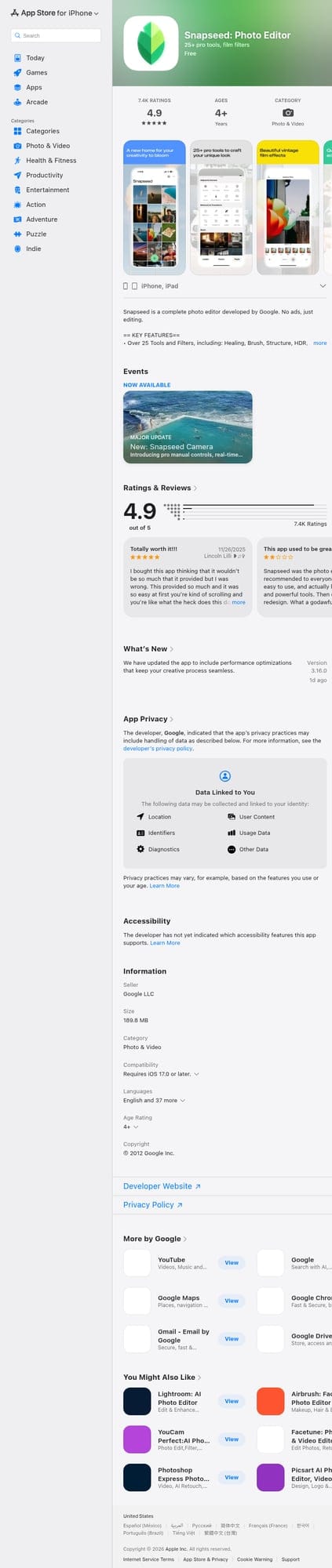
Google's Snapseed remains the gold standard for traditional photo editing on mobile. It's completely free, has no ads, and offers professional-grade tools. The selective adjust feature lets you target specific areas, and the healing tool handles basic object removal.
- ✅ Completely free with no watermarks
- ✅ Professional-grade selective adjustments
- ✅ Non-destructive editing with edit history
- ❌ Limited AI capabilities — healing is basic
- ❌ No restoration features for old photos
- ❌ Steeper learning curve for beginners
Best for: Users who want granular control and don't mind learning the tools. Great for exposure, color, and detail work.
2. TouchRetouch

TouchRetouch pioneered mobile object removal and it's still reliable. The app focuses specifically on removing unwanted elements from photos — power lines, blemishes, strangers in the background. The Quick Repair tool handles simple removals, while the Clone Stamp gives more control for complex edits.
- ✅ Specialized and effective at object removal
- ✅ Line removal tool is genuinely useful
- ✅ Simple, focused interface
- ❌ One-time purchase at $4.99 — no free trial
- ❌ Only does removal — no enhancement or restoration
- ❌ UI feels dated compared to newer apps
Best for: Users who specifically need reliable object removal and don't mind paying upfront for a focused tool.
3. AIPGEN
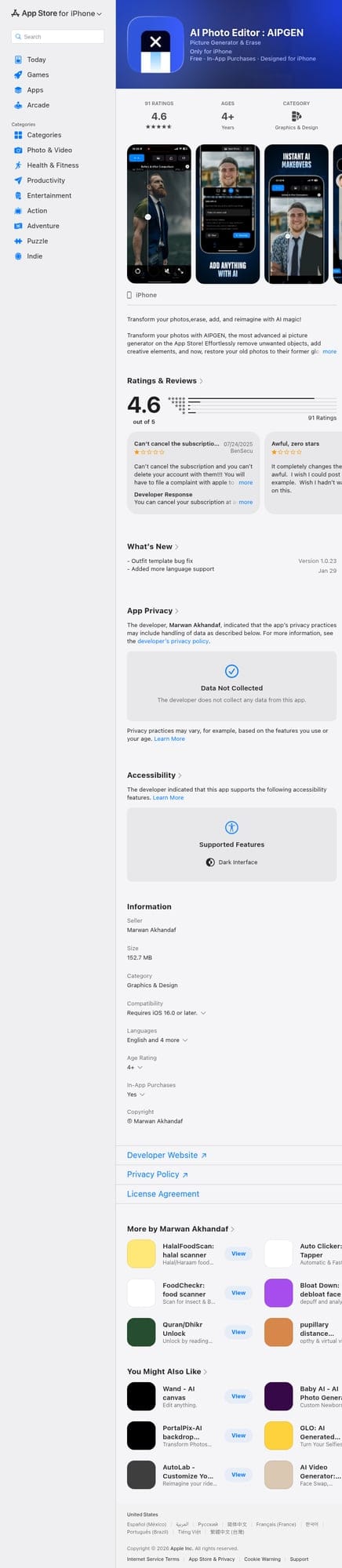
This is where AI photo editing gets interesting. AIPGEN combines multiple AI capabilities in one app: object removal, photo restoration, and creative composition tools. What sets it apart is the restoration feature — it can genuinely revive old, damaged photos by repairing scratches, fixing fading, and sharpening details.
The app also offers 60+ AI templates for quick editing styles, which is particularly useful for maintaining a consistent Instagram aesthetic. The before/after slider makes it easy to compare results, and you can share directly to social media.
- ✅ All-in-one: removal, restoration, and creative tools
- ✅ 60+ AI templates for consistent editing styles
- ✅ Photo restoration actually works on old/damaged images
- ✅ Group photo creator — unique feature for combining portraits
- ✅ Free trial edit before committing
- ✅ Available on both iOS and Android
- ❌ Premium subscription for unlimited edits
- ❌ Newer app, still evolving
Best for: Instagram creators who need versatility — especially if you're editing a mix of new content, restoring old photos for throwbacks, and want quick templates for consistency.
Real-World Instagram Use Cases: Which App Wins?
Let's break down specific scenarios Instagram creators actually face:
Travel Photos with Tourists
You finally get to that scenic viewpoint, but there are 15 other tourists in frame. For simple removals, TouchRetouch's brush tool works well. For more complex scenes where you need intelligent background reconstruction, AIPGEN's AI removal typically produces cleaner results. Snapseed's healing brush can work, but often leaves visible artifacts on detailed backgrounds.
Winner: AIPGEN for complex backgrounds, TouchRetouch for simple removals
Throwback Thursday Content
That photo of your parents from the '80s would be perfect for TBT, but it's scratched, faded, and slightly blurry. This is where AIPGEN genuinely shines — its restoration AI can repair physical damage and recover lost detail in ways the other apps simply can't. Neither Snapseed nor TouchRetouch has any restoration capability.
Winner: AIPGEN (only option with restoration)
Quick Daily Posts
You need to post something in the next 10 minutes and the photo just needs basic enhancement. Snapseed's auto-tune is quick and effective if you know where to find it. AIPGEN's templates are even faster — pick a style that matches your feed aesthetic and apply it. TouchRetouch isn't relevant here since it's removal-only.
Winner: AIPGEN for speed via templates, Snapseed for control
Group Photos
Your friend group never manages to take a photo where everyone looks good at the same time. AIPGEN's group photo creator can actually combine individual portraits into a realistic group shot. It's a unique feature we haven't seen executed this well in other mobile apps.
Winner: AIPGEN (unique feature)
Pro Tips for Better Instagram Edits
Regardless of which app you choose, these practices will improve your results:
- Start with the best possible original — AI can't create detail that doesn't exist. Shoot in good light, hold steady, and use your phone's full resolution.
- Don't over-edit — The best Instagram photos look natural. If an edit is obvious, dial it back. Subtlety wins engagement.
- Use templates sparingly — Templates are great for consistency, but applying the same one to every photo gets repetitive. Alternate between 2-3 styles.
- Check the edges — AI removal sometimes leaves subtle artifacts at the boundary of removed objects. Zoom in and check before posting.
- Save your originals — Always keep unedited copies. Instagram trends change, and you might want to re-edit later with a different style.
What About Remini, Lensa, and Others?
You might be wondering about other popular AI apps. Here's our quick take:
Remini is excellent at face enhancement and upscaling, but it's specialized — great for portrait cleanup, but not useful for general Instagram editing.
Lensa had its moment with AI avatars, but the practical editing tools are limited. It's more of a novelty than a workhorse editing app.
PhotoRoom excels at background removal for product photos. If you're selling on Instagram, it's worth trying. For regular content, it's too specialized.
Canva is great for adding text, creating collages, and designing posts, but it's not really a photo editor — more of a design tool.
The Bottom Line
There's no single "best" AI photo editor for Instagram — it depends on what you're editing. Here's our recommendation:
- If you want one app that does it all: Start with AIPGEN. The free trial edit lets you test the AI quality before committing, and having removal, restoration, and templates in one place saves time.
- If you want free and don't mind learning: Snapseed remains excellent for anyone willing to invest time in understanding the tools.
- If you specifically need object removal: TouchRetouch's one-time purchase is worth it for a focused, reliable tool.
The AI photo editing landscape in 2026 has matured significantly. Apps no longer just apply filters — they understand context, preserve natural details, and produce results that genuinely enhance your content. The best approach is often combining tools: use AIPGEN for AI-heavy edits like removal and restoration, then fine-tune in Snapseed if needed.
Your Instagram feed is worth the extra few minutes of thoughtful editing. Just don't spend so long editing that you forget to actually enjoy the moments you're capturing.