
AI Video Generation: From Text to Motion in 2026
Text-to-video AI has exploded in 2026 — but most creators are still stuck figuring out which tool actually delivers.
Between Sora's cinematic hype, Runway's filmmaker focus, and a dozen new competitors dropping weekly, the AI video generation landscape is more crowded — and more confusing — than ever. We've spent weeks testing the major players to cut through the noise and find what actually works for creators who want to turn ideas into motion without a Hollywood budget.
The State of AI Video Generation in 2026
The text-to-video revolution that started with rough, dreamlike clips has matured into something genuinely useful. Modern AI video generators can produce 10-30 second clips with realistic physics, consistent characters, and even synchronized audio. But with great power comes great complexity — and significant costs.
The fundamental promise remains tantalizing: type a description, get a video. In practice, the journey from text prompt to polished footage still involves trial and error, credit burning, and the occasional existential crisis when your AI refuses to understand what "subtle camera pan" means.
"I've spent way too much money testing out all the major AI video generators, and my head is spinning. The landscape has changed so much that last year's recommendations are basically obsolete."— r/Freepik_AI user discussing the 2026 AI video scene
What Creators Actually Struggle With
After digging through forums, testing tools ourselves, and watching countless comparison videos, the same pain points keep surfacing:
- Pricing confusion — Credits, minutes, resolutions, and feature tiers create a maze that's hard to navigate
- Inconsistent results — The same prompt can produce wildly different outputs, requiring multiple generations
- Learning curves — Each platform has its own prompt syntax, camera controls, and quirks to master
- Desktop dependency — Most professional tools assume you're at a workstation, not on your phone
- Feature overload — Advanced controls are great for filmmakers but overwhelming for casual creators
The reality is that different tools excel at different things. The "best" AI video generator depends entirely on what you're trying to create — and where you're trying to create it.
The Major Players Compared
1. OpenAI Sora
Sora remains the benchmark for cinematic quality. It excels at understanding complex, detailed prompts and handles film terminology better than any competitor. Results are predictable and consistent — a huge advantage when you're working on a project with a specific vision.
- ✅ Best prompt understanding
- ✅ Consistent quality across generations
- ✅ Storyboard controls for multi-shot planning
- ❌ Premium pricing ($20-200/month depending on tier)
- ❌ Desktop-focused experience
2. Runway Gen-4.5
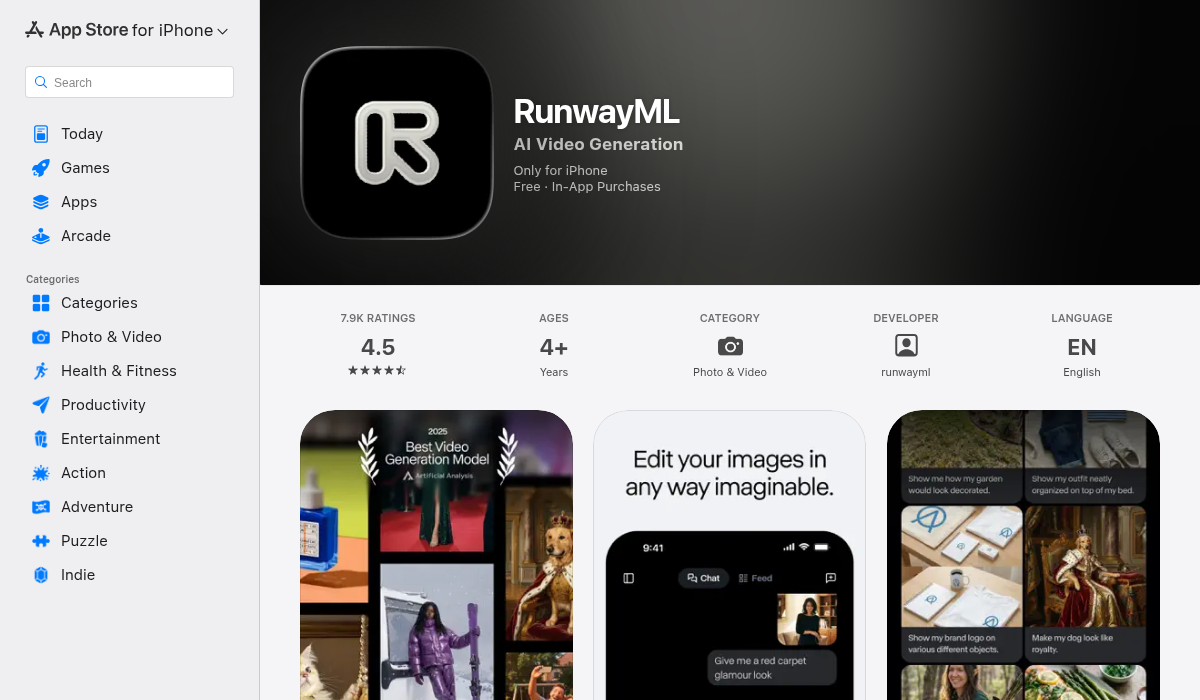
Runway has carved out the professional creator niche with superior camera controls, advanced motion brushes, and a comprehensive editing suite. Gen-4.5 brought significant quality improvements and finally added native audio generation in late 2025.
- ✅ Cinematic camera controls (pan, tilt, zoom, dolly)
- ✅ Best-in-class motion brush for directing movement
- ✅ Native audio generation
- ❌ Results can vary — budget 2-5 attempts per shot
- ❌ Steep learning curve for full feature set
3. Kling AI
Kling emerged as the realism champion in 2026. Where other tools struggle with human faces and natural movement, Kling delivers stability and detail that approaches live footage. It's become the go-to for creators who need believable human subjects.
- ✅ Superior human face rendering
- ✅ Natural physics and movement
- ✅ Expressive character animation
- ❌ Less flexible for abstract or stylized content
- ❌ More limited camera controls than Runway
4. Pika Labs
Pika carved out the "fast and affordable" niche. At roughly $0.07 per video with 250 free credits to start, it's the most accessible entry point. The trade-off is simpler prompt understanding — it works best with straightforward descriptions rather than complex cinematic direction.
- ✅ Fastest generation times
- ✅ Most affordable pricing
- ✅ Great free tier for testing
- ❌ Basic prompt interpretation
- ❌ Less control over fine details
5. Google Veo 3.1
Veo made waves by introducing native synchronized dialogue and sound effects directly from text prompts. For story-driven content where audio matters as much as visuals, it's currently unmatched. The integration with Google's ecosystem also makes it appealing for YouTube creators.
- ✅ Best native audio generation
- ✅ Strong story-driven capabilities
- ✅ Google ecosystem integration
- ❌ Availability still limited in some regions
- ❌ Less established community and tutorials
The Mobile-First Alternative: AIVGEN
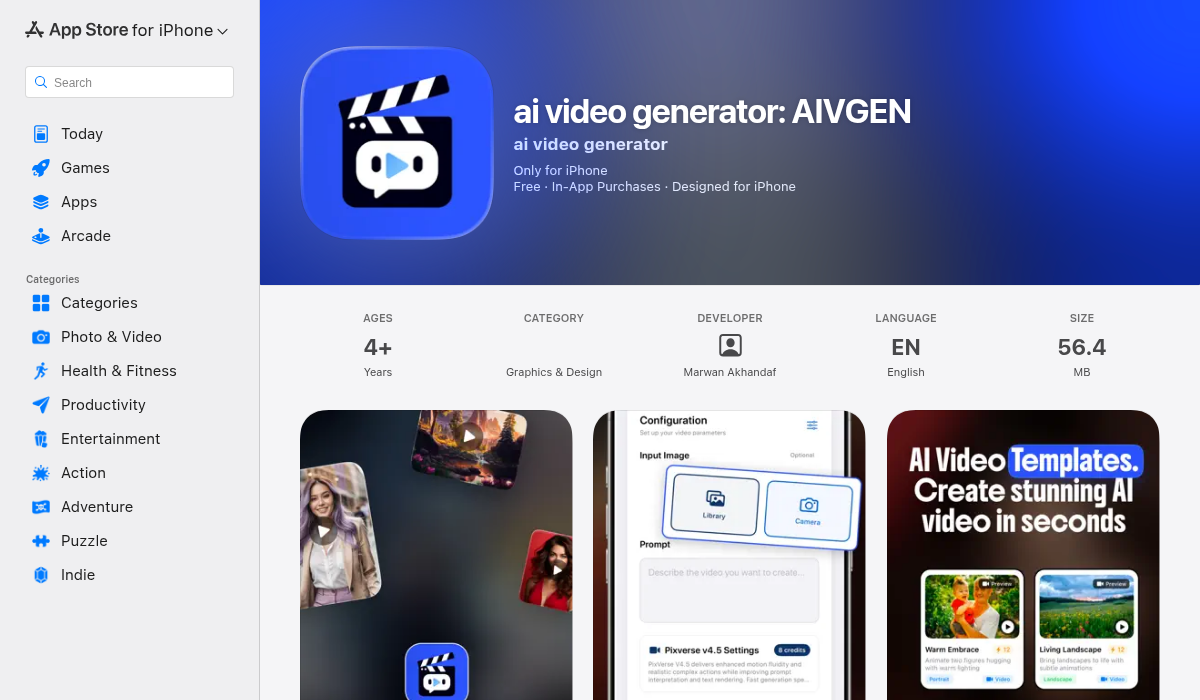
Here's where things get interesting for creators who don't want to be chained to a desktop. While the major players focus on professional workflows, AIVGEN takes a different approach: bringing serious AI video generation to iOS with a mobile-first design that doesn't sacrifice quality.
What sets AIVGEN apart is its access to 9 different AI video models. Instead of being locked into one generation engine with its specific quirks, you can experiment with multiple models to find what works best for your content. Different models excel at different styles — some nail abstract art, others crush realistic scenes, and several specialize in specific aesthetic directions.
Key Features That Matter
- Multi-model access — 9 AI engines means more flexibility and better results for diverse content types
- Smart templates — Pre-configured prompts and styles that shortcut the learning curve
- Background processing — Queue generations and let them run while you do other things
- Text or image input — Start from a description or use an existing image as your foundation
- Credit-based pricing — Pay for what you use without complex subscription tiers
The mobile-first approach solves a real problem. Ideas don't always strike when you're at your desk. With AIVGEN, you can capture inspiration, generate a proof-of-concept, and iterate on the go. Background processing means you can start a batch of generations before bed and wake up to results.
How to Choose the Right Tool
After extensive testing, here's our recommendation framework:
Choose Sora if: You need maximum quality and consistency for professional projects, and budget isn't the primary concern. The reliable output justifies the premium for serious productions.
Choose Runway if: You're a filmmaker or visual artist who needs precise camera control and doesn't mind a learning curve. The creative tools are unmatched once mastered.
Choose Kling if: Your content features humans prominently. The realism and stability with faces and bodies is genuinely ahead of competitors.
Choose Pika if: You want the fastest, most affordable way to experiment with AI video. Great for testing ideas before investing in higher-quality tools.
Choose AIVGEN if: You want flexibility (multiple models), mobility (phone-first workflow), and simplicity (smart templates) without sacrificing quality. Ideal for creators who generate content regularly and want options without subscription complexity.
Pro Tips for Better AI Video Results
- Be specific about movement — "Camera slowly pushes in" works better than "zoom." Describe the motion you want in plain terms, including speed and direction.
- Layer your descriptions — Start with the subject, add the action, then describe the environment and mood. Structure helps AI parse complex scenes.
- Use reference images — When available, image-to-video generation provides more consistent results than text alone. Your starting point anchors the output.
- Budget for iterations — Even the best tools require 2-5 generations to nail a shot. Plan your credits and time accordingly.
- Match tool to task — Use fast tools like Pika or AIVGEN for exploration, then bring winning concepts to Sora or Runway for final quality.
The Bottom Line
AI video generation in 2026 has matured from tech demo to practical creative tool — but the landscape remains fragmented. No single platform dominates every use case, and the "best" tool genuinely depends on your specific needs, budget, and workflow.
For desktop-bound professionals with specific cinematic visions, Sora and Runway remain the gold standards. For creators who value flexibility and the freedom to generate anywhere, AIVGEN's multi-model approach and mobile-first design fill a gap the major players have ignored.
The good news? Most tools offer free tiers or low-cost entry points. The best way to find your fit is to test a few with your actual content ideas. Start with the free credits, find what clicks with your creative process, and scale from there.
If you're ready to try mobile-first AI video generation with access to multiple AI models, AIVGEN is worth a look. The smart templates make getting started surprisingly painless, and background processing means you can experiment without watching progress bars.