
Before and After: AI Photo Restoration Transformations
That faded photo of your grandparents' wedding day. The cracked image of your parents as children. The water-damaged snapshot that's the only picture you have of a loved one. These irreplaceable moments sit in boxes and albums, slowly deteriorating — until now.
AI photo restoration has transformed what was once a specialized skill requiring hours of meticulous Photoshop work into something anyone can do in seconds. The before and after comparisons are genuinely stunning, bringing decades-old photos back to life with clarity that rivals the original moment captured.
But not all AI restoration is created equal. In this guide, we'll explore how modern AI tackles photo restoration, share real transformation examples, and help you understand what's actually possible in 2026.
Why Old Photos Degrade (And Why It Matters)
Every photograph is fighting against time. Chemical processes in old prints continue even after development, leading to color shifts, fading, and yellowing. Physical damage — scratches, creases, water stains, and mold — accumulates over decades of handling and storage.
For many families, these damaged photos represent their only visual connection to previous generations. Digital backups didn't exist for your great-grandmother's portrait. There's no cloud storage for that 1940s family reunion shot.
"I achieved this restored version by combining traditional Photoshop restoration techniques and AI photo tools to remove the creases, scratches, and extend the background. The tools are great, but it's still quite a process."— Reddit user in r/Genealogy
This comment captures both the promise and the challenge of photo restoration. AI has made incredible advances, but understanding how to use these tools effectively — and their limitations — makes the difference between a mediocre result and a genuine transformation.
What AI Photo Restoration Actually Does
Modern AI restoration works through several sophisticated processes:
Damage Detection and Removal — AI identifies scratches, creases, dust spots, and tears, then intelligently fills these areas by analyzing surrounding pixels and understanding the image context. Unlike simple clone tools, AI understands that a scratch across a face should be filled with skin texture, not background elements.
Color Correction and Revival — Faded colors are enhanced using AI that understands natural color relationships. It knows that skin tones should fall within certain ranges, that skies are typically blue gradients, and that shadows need proper depth without becoming muddy.
Sharpening and Detail Recovery — Perhaps the most impressive capability. AI can recover details that appear lost to the human eye, enhancing edge definition and texture without creating the artificial look of over-sharpened images.
Resolution Enhancement — Modern restoration can upscale images 2x to 4x while adding realistic detail. This isn't just making pixels bigger — the AI generates new detail based on what it understands about the image content.
Real Transformations: What to Expect
Let's set realistic expectations. AI restoration produces genuinely remarkable results, but it works with probability rather than magic. Here's what different damage types typically yield:
Scratches and Creases
Result quality: Excellent
This is where AI restoration truly shines. Light to moderate scratches disappear completely. Even heavy creases across faces can be corrected convincingly, with AI understanding facial structure well enough to reconstruct obscured features.
Fading and Color Shift
Result quality: Very Good
Yellowed photos regain natural tones. Faded colors become vivid again. The AI applies color theory to restore balance — though extremely faded images may require manual color guidance for best results.
Water Damage and Staining
Result quality: Good to Excellent (depending on severity)
Water stains that haven't completely destroyed detail can be removed effectively. Mold damage is trickier — if the underlying image data is intact, results can be remarkable. If the emulsion is destroyed, even AI can't recreate what's physically gone.
Blur and Focus Issues
Result quality: Good
AI can sharpen moderately blurry images convincingly. Motion blur is harder to correct than general soft focus. Extremely blurry images improve but won't match properly focused originals.
Missing Sections
Result quality: Variable
AI can fill small missing areas by understanding context. A torn corner showing background? Easy fix. A missing chunk of someone's face? Results depend heavily on how much reference material remains and the AI's training.
Choosing the Right Restoration Approach
The restoration landscape in 2026 offers several paths:
Mobile Apps: Best for Quick Fixes
Modern restoration apps put powerful AI directly in your pocket. For scratched family photos or faded snapshots, a good mobile app can produce professional-quality results in seconds.
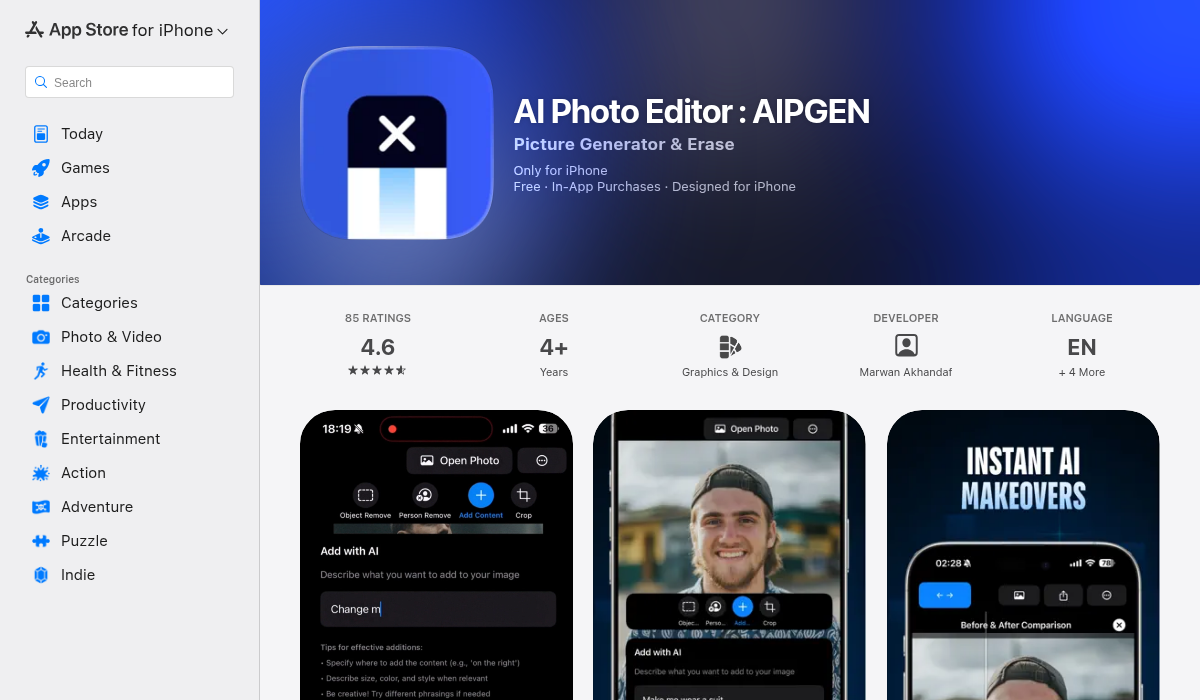
AIPGEN stands out for combining restoration with a full editing suite — you can restore an old photo, then remove unwanted elements or fix composition issues, all in one app. The restoration feature handles scratches, discoloration, and fading effectively, with results that often match dedicated restoration software.
- ✅ Automatic scratch and damage repair
- ✅ Color revival for faded photos
- ✅ Detail sharpening without artifacts
- ✅ Before/after slider to compare results
- ✅ Additional editing tools for further refinement
Desktop Software: Best for Control
Applications like Photoshop with AI plugins, Topaz Photo AI, and dedicated restoration software offer more manual control. This matters for severely damaged images requiring human judgment about reconstruction.
Professional Services: Best for Irreplaceable Originals
For one-of-a-kind images — the only photo of a deceased relative, severely damaged historical documents — professional restoration services combine AI tools with human expertise. Expect to pay $25-100+ per image, but for truly irreplaceable photos, the investment protects what matters most.
Pro Tips for Best Restoration Results
- Scan at High Resolution — 600 DPI minimum for standard prints, 1200 DPI for small or heavily damaged images. More data gives AI more to work with.
- Clean Physical Photos First — Gently remove loose dust and debris before scanning. Surface dirt becomes permanent in a scan.
- Don't Over-Process — Running an image through multiple restoration passes can introduce artifacts. Often, one careful pass produces better results than repeated attempts.
- Save Original Scans — Always keep your raw, unedited scan. AI restoration technology improves constantly — today's good result might be surpassed by tomorrow's tools.
- Use the Before/After Comparison — Good restoration apps include comparison tools. Use them to ensure the AI hasn't changed fundamental aspects of the image.
- Adjust Settings When Available — If the app offers strength or intensity controls, start moderate. You can always increase — reducing over-processing is harder.
- Consider Multiple Tools — Different AI models excel at different damage types. A stubborn scratch that one app can't handle might disappear in another.
What AI Restoration Cannot Do (Yet)
Transparency about limitations matters more than overselling capabilities:
Recreate Destroyed Detail — If the image data is physically gone — burned, dissolved, or completely faded — no AI can recreate it with certainty. AI can make educated guesses, but these are interpretations, not recoveries.
"It's not 'upscaling' anything, it's making its own new image."— Reddit user in r/ChatGPT discussing AI restoration limitations
This is a crucial distinction. Good restoration tools enhance and repair existing data. Poor ones generate new content that may look plausible but isn't historically accurate.
Guarantee Perfect Faces — AI face restoration has improved dramatically, but heavily damaged faces may be reconstructed with subtle differences. For important documents or identification purposes, understand these limitations.
Match Original Colors Exactly — Unless you have reference material, restored colors are the AI's best interpretation. Different tools may produce different color interpretations of the same faded original.
The Emotional Impact of Restoration
Beyond the technical achievements, AI photo restoration serves a deeply human purpose. Seeing a grandparent's face clearly for the first time. Recovering details from a wedding photo damaged in a flood. Making an unclear childhood memory vivid again.
These transformations matter because photographs are how we connect with the past. A faded, scratched photo keeps history at a distance. A restored image makes ancestors feel present, their expressions and personalities suddenly visible across the decades.
Getting Started with Your First Restoration
Ready to try restoring your own old photos? Here's a practical workflow:
- Choose your test photo — Start with a damaged image that isn't your only copy of something irreplaceable. Learn on photos where mistakes aren't catastrophic.
- Create a quality scan — Use a flatbed scanner at 600 DPI or higher. Phone camera shots of photos work in a pinch but lose detail.
- Try a mobile restoration app — For most family photos, apps like AIPGEN produce results that would have required professional work just years ago. The AI restoration feature is designed specifically for bringing old photos back to life.
- Review with the before/after slider — Check that the restoration improved the image without introducing unwanted changes.
- Save and share — Keep both your original scan and the restored version. Share the restored photo with family — these recovered memories often mean more than we expect.
The Bottom Line
AI photo restoration in 2026 genuinely delivers on its promise. Scratches disappear. Colors revive. Details sharpen. Photos that seemed lost to time become vivid again.
The technology isn't magic — it works best on photos where the underlying image data remains intact, even if obscured by damage. Severely destroyed images may not be fully recoverable. But for the vast majority of aging family photos sitting in albums and boxes, modern AI restoration offers something remarkable: the ability to see the past clearly again.
Those faded grandparent wedding photos? That cracked image of your parents as children? AI restoration can bring them back. The before and after transformations speak for themselves — and the emotional impact of recovering these moments makes the technology genuinely valuable.
Start with one treasured photo. See what modern restoration can do. The results might surprise you.