
Best AI Apps for Enhancing Old Scanned Documents (2026)
That faded birth certificate, yellowed recipe card from your grandmother, or barely-legible contract scan — you've been staring at it for minutes trying to make out the words. Old scanned documents are frustratingly common: washed-out text, uneven lighting, coffee stains, creases, and the general degradation that comes with decades of storage. In 2026, AI tools have gotten remarkably good at rescuing these documents.
Traditional approaches — adjusting contrast and brightness — only get you so far. They might make dark areas readable but blow out light sections. What you really need is intelligent enhancement that understands document structure and can reconstruct what's been lost. That's exactly what modern AI brings to the table.
Why Old Document Scans Are So Difficult
Anyone who's tried to digitize family archives knows the struggle. Documents from the 60s, 70s, and 80s often have multiple problems at once:
- Faded ink — typewriter ribbon or fountain pen ink degrades over time
- Paper yellowing — acid in paper causes browning that reduces contrast
- Fold lines and creases — obscure text and create shadows
- Stains and damage — water marks, coffee rings, torn edges
- Poor original scans — low resolution, uneven lighting, scanner artifacts
"I'm not looking for something that just adjusts contrast and brightness, but to create a new document from scratch using the assets of a bad scan."— Reddit user in r/ChatGPTPro
This perfectly captures the limitation of basic editing tools. Simple adjustments can't reconstruct missing information — you need AI that can understand context and fill in gaps intelligently.
What AI Can Actually Do for Documents
Modern AI document enhancement goes far beyond filters. The technology can:
- Remove background noise — Eliminate paper texture, stains, and scanner artifacts while preserving text
- Sharpen blurry text — Use context to determine what letters should be, not just edge sharpening
- Correct uneven lighting — Normalize exposure across the entire document
- Repair damaged areas — Reconstruct text that's partially obscured or faded
- Upscale resolution — Increase detail on low-resolution scans while maintaining clarity
The key difference from traditional tools is that AI doesn't just manipulate pixels — it understands what documents should look like and works toward that goal.
Best Apps for Enhancing Old Scanned Documents
We tested several approaches to see what actually works for those impossibly-faded family documents:
1. Adobe Scan
Adobe's free scanning app includes automatic enhancement that works reasonably well for capturing new documents. It adjusts contrast, straightens perspective, and cleans up backgrounds.
- ✅ Free to use with Adobe account
- ✅ Good for scanning new documents directly
- ✅ Automatic perspective correction
- ❌ Limited enhancement for already-scanned old documents
- ❌ Struggles with severely faded or damaged originals
- ❌ No AI reconstruction of missing content
2. Microsoft Lens
Similar to Adobe Scan, Microsoft Lens excels at capturing documents with your phone camera. It has useful modes for whiteboards, documents, and business cards.
- ✅ Free and well-integrated with Microsoft ecosystem
- ✅ Multiple capture modes for different document types
- ❌ Enhancement is basic — contrast and sharpening only
- ❌ Can't meaningfully improve existing bad scans
3. AIPGEN — AI Photo Editor
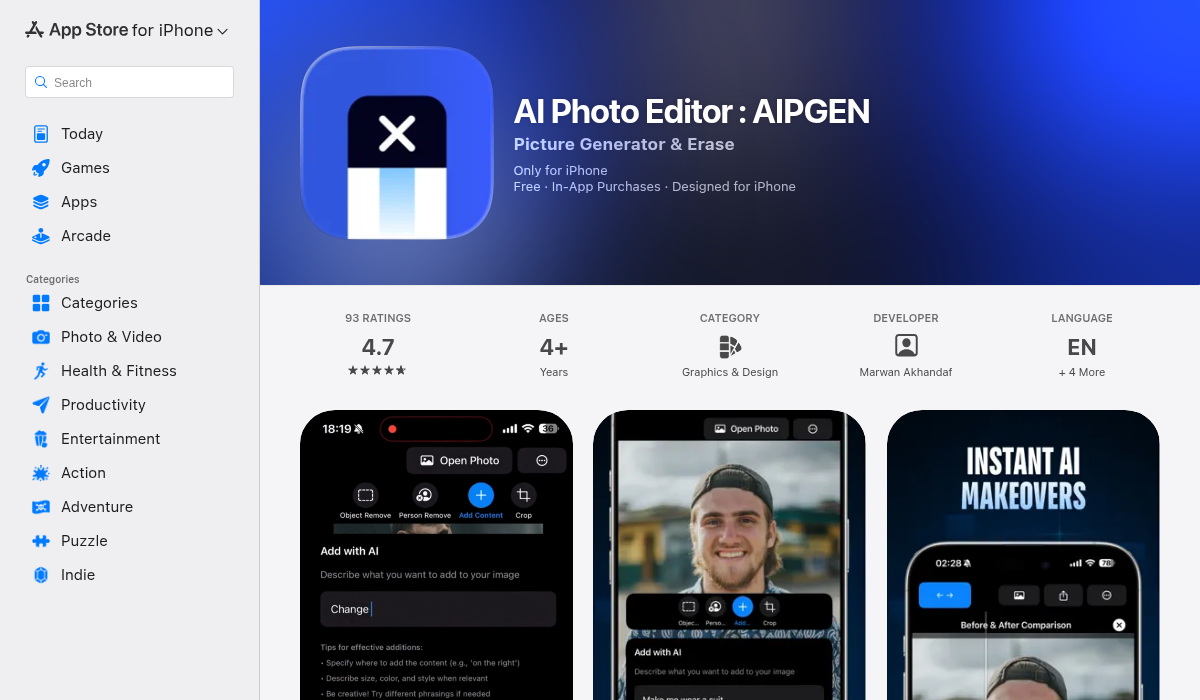
While primarily known as a photo editor, AIPGEN's AI restoration feature works surprisingly well on document scans. The same technology that repairs old photographs — removing scratches, fixing fading, sharpening details — applies directly to document enhancement.
- ✅ AI restoration removes stains and damage intelligently
- ✅ Enhances faded text while preserving document structure
- ✅ Object removal tool can erase unwanted marks and artifacts
- ✅ Before/after slider shows exactly what changed
- ✅ Cross-platform — iOS and Android
- ✅ Free trial to test on your specific documents
The reason AIPGEN works for documents is that it treats scanned papers like damaged photographs. The AI understands that dark marks on light background are "content" while yellowing and stains are "damage." It can separate these layers and enhance one while removing the other.
4. ChatGPT (Vision)
Interestingly, users on Reddit have found success feeding difficult scans to ChatGPT and asking it to transcribe the content. While it doesn't enhance the image itself, it can often read text that's barely visible to human eyes.
- ✅ Excellent OCR for difficult handwriting and faded type
- ✅ Can interpret context to guess damaged words
- ❌ Doesn't produce an enhanced image — only text output
- ❌ Requires copy-pasting results if you need a clean document
Pro Tips for Better Document Enhancement
- Start with the best scan possible — If you have access to the original, rescan at high DPI (300-600). AI enhancement works better with more data
- Clean the scanner glass — Dust and smudges on the scanner create artifacts that AI has to work around
- Process in sections for large documents — Multi-page documents with varying damage levels benefit from section-by-section enhancement
- Combine tools for tough cases — Use AI restoration to clean damage, then a separate OCR tool to extract text
- Save originals — Always keep your original scans. Enhancement algorithms improve over time, and you may want to reprocess later
Real-World Use Cases
Here are some common scenarios where AI document enhancement makes a real difference:
Family genealogy research — Old birth certificates, marriage records, and immigration documents often arrive barely readable. AI enhancement can reveal details hidden by decades of fading.
Recipe preservation — Those handwritten recipe cards from grandma deserve to be readable for future generations. Enhancement brings faded pencil and ink back to life.
Legal and financial records — Old contracts, deeds, and financial statements sometimes need to be referenced decades later. Clear scans prevent disputes.
Historical research — Newspaper clippings, letters, and personal documents from previous centuries often survive only in poor condition. AI can make them usable again.
The Bottom Line
Simple brightness and contrast adjustments can only do so much for old scanned documents. When you're dealing with seriously faded, damaged, or barely-legible scans, AI tools that understand document structure and can intelligently reconstruct content are worth the extra effort.
For documents that standard tools can't save, AIPGEN's restoration feature is worth trying — the same AI that brings old photographs back to life works surprisingly well on document scans. The free trial edit lets you test it on your most challenging scan before deciding.