
Best AI Apps for Removing Photo Backgrounds 2026
Removing backgrounds from photos used to require Photoshop skills and hours of careful masking. Now AI does it in seconds — but which app actually delivers the cleanest results?
Whether you're selling products online, creating social media content, or just want to make your selfies pop, background removal has become an essential editing tool. We tested the top AI-powered background removal apps of 2026 to find the ones worth your time.
Why Background Removal Matters More Than Ever
The rise of e-commerce and content creation has made clean, distraction-free images essential. Product sellers on Etsy, Amazon, and Poshmark need white backgrounds. Influencers want studio-quality portraits. Job seekers need professional headshots. But hiring a photographer for every image? That's not realistic.
"I spent way too long trying to manually cut out backgrounds in free editing apps. Then I discovered AI tools and couldn't believe I'd been wasting so much time."— Reddit user in r/AIToolTesting
AI background removal solves this problem — but not all tools are created equal. Some leave obvious artifacts around hair and fine details. Others struggle with complex backgrounds or charge premium prices for basic functionality.
What We Tested
We evaluated each app on four criteria: edge detection accuracy (especially around hair and transparent objects), speed, ease of use, and pricing. We tested on photos ranging from simple product shots to complex portraits with wispy hair against busy backgrounds.
Best AI Background Removal Apps in 2026
1. Remove.bg
Remove.bg has been the go-to background removal tool for years, and it still delivers consistent results. The AI handles edge detection well, including challenging subjects like hair and transparent objects.
- ✅ Fast and reliable
- ✅ Good edge detection on most images
- ✅ Web and mobile versions available
- ❌ Limited free usage — charges for high-resolution downloads
- ❌ Only does background removal — no other editing tools
Remove.bg is ideal if you only need background removal and nothing else. But the per-image pricing adds up quickly for regular users.
2. PhotoRoom
Popular among e-commerce sellers, PhotoRoom combines background removal with mockup templates and batch processing. It's a favorite on Reddit for Etsy and Poshmark sellers who need to process multiple product photos quickly.
- ✅ Batch processing for multiple images
- ✅ Built-in product photo templates
- ✅ Good for e-commerce workflows
- ❌ Subscription required for premium features
- ❌ Less precise on complex subjects
3. AIPGEN — AI Photo Editor
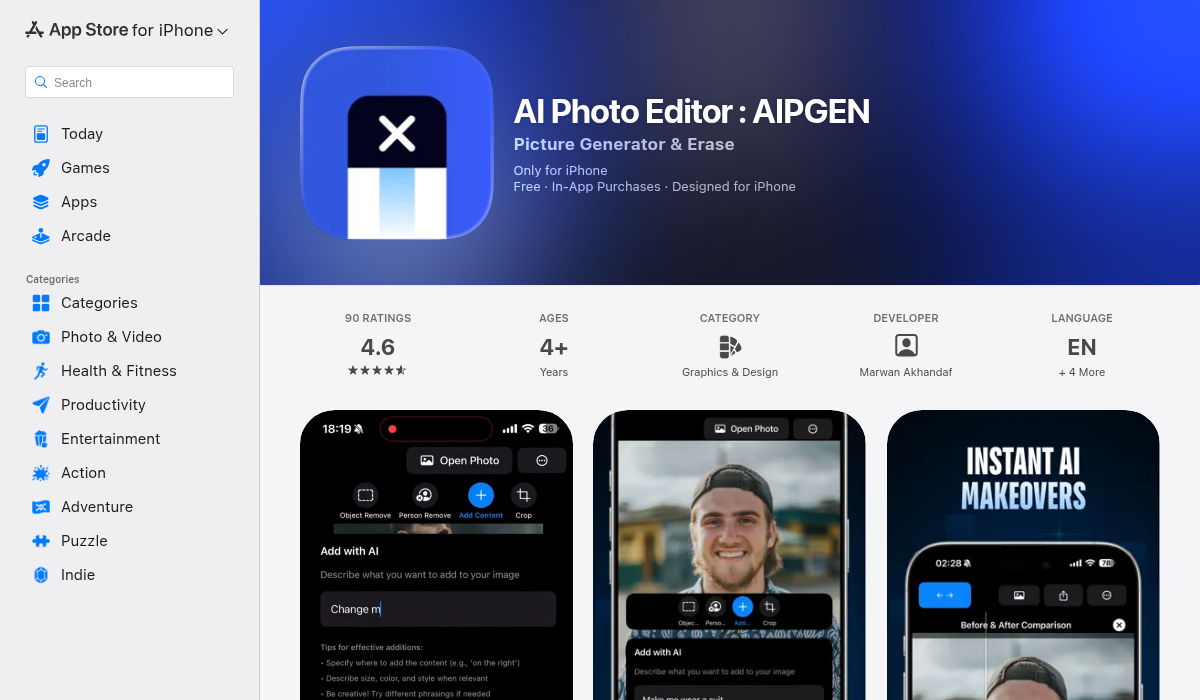
AIPGEN takes a different approach. Rather than just removing backgrounds, it offers a complete AI editing toolkit — object removal, photo restoration, creative composition, and yes, excellent background removal. What makes it stand out is the combination of precision and versatility.
- ✅ Clean edge detection, even on hair and fine details
- ✅ Full editing suite — remove objects, restore old photos, add elements
- ✅ 60+ AI templates for quick edits
- ✅ Before/after slider to preview changes
- ✅ Group photo creator — unique feature for combining portraits
- ✅ Works on iOS and Android
- ❌ More features than you need if you only want background removal
The real advantage of AIPGEN is that background removal is just the starting point. After isolating your subject, you can add new backgrounds, remove other distracting elements, or apply one of 60+ AI templates for different visual styles. The before/after slider makes it easy to see exactly what changed.
4. Canva
Canva's background removal tool is decent and integrates seamlessly into their design platform. If you're already using Canva for social media graphics, it's convenient. But it's not a dedicated photo editing tool — the AI sometimes struggles with complex edges.
- ✅ Integrated into design workflow
- ✅ Good for social media content
- ❌ Less precise than dedicated tools
- ❌ Requires Canva Pro subscription
5. Adobe Express
Adobe's consumer-focused tool brings Firefly AI to background removal. Results are polished and professional, as you'd expect from Adobe. But it's optimized for their ecosystem — users who want quick edits without the Creative Cloud may find it overkill.
- ✅ Professional-quality results
- ✅ Firefly AI integration
- ❌ Best within Adobe ecosystem
- ❌ Premium features require subscription
Pro Tips for Better Background Removal
- Use good lighting — AI works better when there's clear contrast between your subject and background. Natural lighting creates cleaner edges.
- Avoid matching colors — If your subject's clothing matches the background color, even the best AI will struggle. Create contrast where possible.
- Check the edges — Always zoom in on hair, jewelry, and fine details. Most apps let you refine edges manually after the AI does its initial pass.
- Save at full resolution — Some free tools downgrade image quality on export. Make sure you're getting the full resolution you need.
The Bottom Line
For single-purpose background removal, Remove.bg remains fast and reliable — though the pricing adds up. PhotoRoom is excellent for e-commerce sellers processing batches of product photos.
But if you want more than just background removal — object removal, photo restoration, creative editing, and 60+ AI templates — AIPGEN offers the best value. The before/after slider and group photo features are genuinely useful additions you won't find elsewhere.
The best tool depends on your workflow. For quick one-off removes, Remove.bg works. For comprehensive photo editing with AI power, AIPGEN delivers more bang for your buck.