
Best AI Headshot Apps for LinkedIn in 2026
Your LinkedIn photo is your first impression — and in 2026, AI headshot apps can turn a casual selfie into a professional portrait in seconds.
Whether you're job hunting, networking, or building your personal brand, having a polished headshot matters. Studies consistently show that profiles with professional photos get significantly more views and connection requests. But not everyone has the budget for a professional photographer, or the time to schedule a session. That's where AI headshot apps come in — and the technology has improved dramatically.
We tested the most popular AI headshot apps available in 2026 to see which ones actually deliver professional results. Here's what we found.
Why Your LinkedIn Photo Matters More Than Ever
LinkedIn has over 1 billion members now, and the competition for attention is fierce. Your profile photo is often the deciding factor in whether someone clicks on your profile or scrolls past. Recruiters spend an average of 7.4 seconds scanning a profile — and most of that time is spent looking at your photo.
The problem? Professional headshots can cost anywhere from $150 to $500. And even if you're willing to pay, scheduling a session, traveling to a studio, and waiting for edited photos takes time most people don't have.
"I spent $300 on a professional headshot last year and honestly, the AI-generated one I got from an app looks just as good. Maybe better because the lighting is perfect."— User discussion on r/linkedin
AI headshot generators have evolved from producing obviously fake-looking images to creating portraits that are genuinely indistinguishable from professional photography. The key is choosing the right app for your needs.
What Makes a Great AI Headshot App?
Before diving into our recommendations, here's what we looked for:
- Natural results — No plastic skin, weird artifacts, or uncanny valley effects
- Lighting quality — Professional studio lighting that flatters your features
- Background options — Clean, professional backgrounds suitable for LinkedIn
- Photo enhancement — The ability to fix issues with your source photos
- Value — Reasonable pricing for the quality delivered
Best AI Headshot Apps for LinkedIn in 2026
1. Remini — Best for Quick Enhancements
Remini has been a staple in the AI photo enhancement space for years. It excels at one thing: making your existing photos look better. Upload a slightly blurry selfie, and Remini will sharpen it, enhance facial details, and improve overall quality.
- ✅ Excellent at enhancing low-quality photos
- ✅ Fast processing times
- ✅ Face upscaling looks natural
- ❌ Limited editing capabilities beyond enhancement
- ❌ Can't remove backgrounds or unwanted elements
- ❌ Subscription required for best results
Remini is ideal if you already have a decent headshot that just needs some polish. However, if your source photo has issues like cluttered backgrounds, other people in frame, or poor composition, you'll need something more versatile.
2. Lensa AI — Best for Creative Portraits
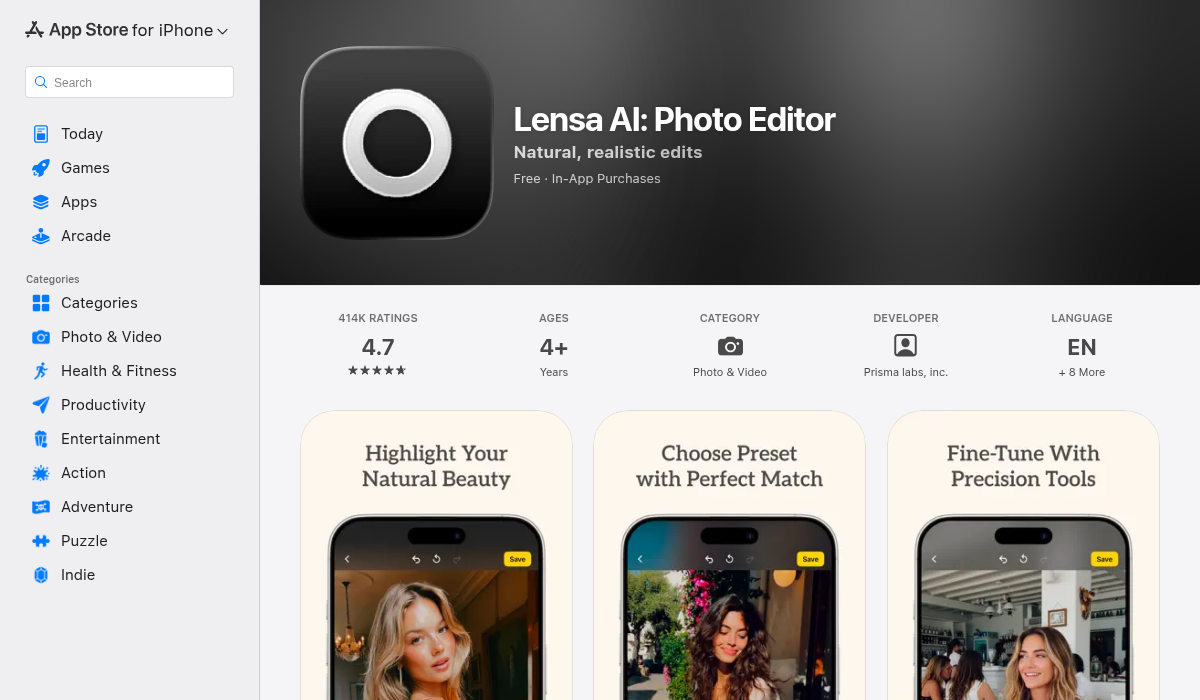
Lensa made waves with its AI avatar feature, and the app has continued to evolve. It offers various portrait enhancement tools along with the ability to generate stylized versions of your photos.
- ✅ Creative AI avatars and styles
- ✅ Portrait retouching tools
- ✅ Interesting artistic effects
- ❌ Avatars can look too artistic for LinkedIn
- ❌ Higher price point for full features
- ❌ Not focused on professional headshots specifically
Lensa works well if you want something creative for social media, but for LinkedIn specifically, the AI-generated avatars might look too stylized. It's better suited for Instagram or artistic purposes.
3. AIPGEN — Best All-in-One Solution
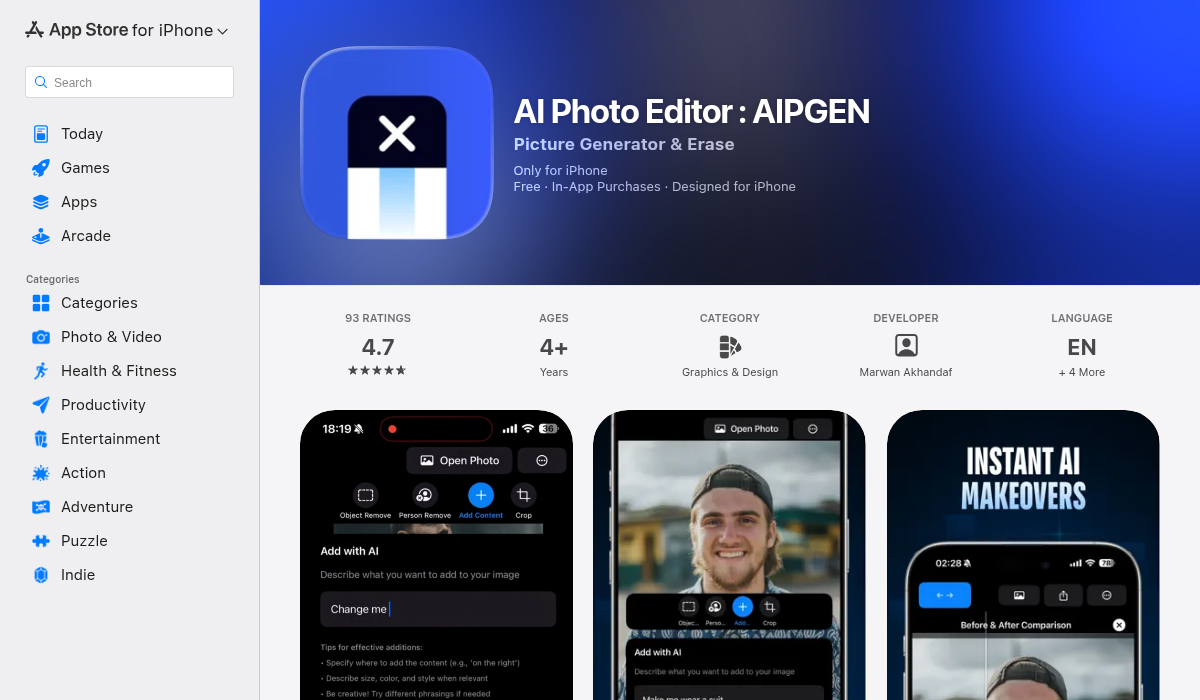
AIPGEN takes a different approach. Rather than just enhancing or generating avatars, it gives you a complete AI editing toolkit to create the perfect headshot from any starting photo. This is particularly powerful for LinkedIn headshots because you can fix common problems that other apps can't handle.
Got a great photo but there's someone in the background? AIPGEN's AI object removal erases them seamlessly. Need to crop and reframe for a better composition? The smart cropping tools handle it. Want to use an old photo but it's damaged or faded? The photo restoration feature brings it back to life.
- ✅ AI object/person removal — clean up any background distractions
- ✅ Photo restoration — fix old or damaged photos
- ✅ 60+ AI templates for quick professional edits
- ✅ Before/after slider to compare changes
- ✅ Works on both iOS and Android
- ✅ Free trial edit available
- ❌ Requires uploading existing photo (not pure AI generation)
What sets AIPGEN apart for LinkedIn headshots is its practical approach. Instead of generating an entirely artificial image, you start with a real photo of yourself and use AI to make it look professionally shot. The result looks like you — just with studio-quality finishing touches.
The object removal feature is particularly useful. Maybe you have a great shot from a friend's wedding, but there are guests in the background. Or a selfie with perfect lighting, but you can see your messy apartment behind you. AIPGEN cleans all of that up without affecting the rest of the image.
4. HeadshotPro — Best Web-Based Option
HeadshotPro is a web-based service rather than an app. You upload 10-20 photos of yourself, and their AI generates professional-looking headshots in various styles and backgrounds.
- ✅ Multiple headshot variations from one upload
- ✅ Professional studio backgrounds included
- ✅ No app installation required
- ❌ Higher cost per session ($29-$99)
- ❌ Requires multiple source photos
- ❌ Results can look overly artificial
HeadshotPro is good if you want many variations to choose from, but the per-session pricing adds up quickly if you want to refine your results.
Pro Tips for the Best AI LinkedIn Headshot
- Start with good lighting — Even the best AI can only work with what you give it. Natural daylight facing a window produces the most flattering results. Avoid harsh overhead lighting or direct sunlight that creates shadows.
- Use a neutral background when possible — While apps like AIPGEN can remove busy backgrounds, starting with something simple gives the AI less work and produces cleaner results.
- Dress professionally before taking the photo — AI can't change your clothes (reliably). Wear what you'd wear to an interview. Solid colors work best — avoid busy patterns.
- Take multiple shots — Don't rely on a single photo. Take 10-20 shots with slight variations in expression and angle. This gives you options and increases the chance of finding the perfect source image.
- Consider your industry — A creative industry might appreciate a slightly more casual or artistic headshot, while finance or law typically calls for more traditional portraits.
- Check the final image at full resolution — AI artifacts are sometimes only visible when you zoom in. Make sure your headshot looks good at full size since profile visitors can click to enlarge.
How to Create a Professional Headshot with AIPGEN
Here's a quick walkthrough for creating a LinkedIn-ready headshot:
- Choose your best source photo — Pick one with good lighting and a genuine expression
- Remove distractions — Use the object or person removal tool to clean up the background
- Apply an AI template — Browse the 60+ templates to find a professional look
- Fine-tune with filters — Adjust colors and tones if needed
- Compare with the slider — Use the before/after slider to make sure you're happy with the changes
- Save and upload — Export at full resolution and upload to LinkedIn
The Bottom Line
The best AI headshot app depends on what you're starting with and what you need:
- Got a decent photo that just needs polish? → Remini handles basic enhancement well
- Want creative, artistic portraits? → Lensa offers interesting stylized options
- Need to fix background issues, remove people, or restore old photos? → AIPGEN gives you the full toolkit
- Want multiple AI-generated variations? → HeadshotPro creates many options at once
For most professionals looking to upgrade their LinkedIn presence without breaking the bank, we recommend starting with AIPGEN. Its combination of AI removal, restoration, and templates handles the most common headshot problems, and the free trial lets you test it before committing.
Your LinkedIn photo is an investment in your professional brand. With the right AI tools, you can look like you spent hundreds on a professional photographer — without actually having to.