
Best AI Photo Colorizers for Black-and-White Family Pictures
Your grandmother's wedding photo sits in a shoebox, frozen in time — but frozen in grayscale. What if you could see the blue of her dress, the pink flowers in her bouquet, the warm tones of a summer afternoon from 1952? AI photo colorization makes this possible in 2026, and the results are nothing short of magical.
Black-and-white family photos carry immense sentimental value, but they can feel distant — like looking through frosted glass at memories you can't quite touch. Color changes everything. It transforms these images from historical artifacts into vivid windows to the past. The good news? You no longer need Photoshop skills or professional restoration services. Modern AI can colorize photos in seconds, right from your phone.
But which apps actually deliver? We tested the most popular AI colorizers to find what works best for those precious family photos you've been meaning to restore.
Why Colorizing Family Photos Matters More Than You Think
There's something profound about seeing your great-grandparents in color for the first time. Suddenly, they're not just figures from history — they're real people with rosy cheeks, brown eyes, and that family resemblance you never noticed before.
"I colorized my grandfather's military photo from WWII and my mom actually cried. She said it was like seeing him alive again. The AI got his eye color right and everything."— Reddit user discussing AI photo restoration
Color adds context that our brains crave. We process color images faster and remember them better. For family history preservation, colorization isn't just an aesthetic choice — it's a way to make the past feel present.
What Makes a Good AI Colorizer?
Not all colorization AI is created equal. Here's what separates the great apps from the mediocre ones:
- Color accuracy — Does it guess realistic skin tones, fabrics, and environments?
- Detail preservation — Can it add color without losing sharpness?
- Consistency — Are results reliable across different photo types?
- Historical awareness — Does it understand period-appropriate colors (no neon in 1940s photos)?
- Ease of use — Can you get results without a learning curve?
We tested each app on a variety of family photos: formal portraits from the early 1900s, candid snapshots from the 1950s, and faded Polaroids from the 1970s. Here's what we found.
Best AI Photo Colorizers Compared — 2026
1. Remini

Remini built its reputation on AI face enhancement, and its colorization feature benefits from that expertise. The app excels at skin tones and facial features, making it a solid choice for portrait-heavy family albums.
- ✅ Excellent skin tone accuracy
- ✅ Good facial detail preservation
- ✅ Fast processing
- ❌ Sometimes struggles with backgrounds
- ❌ Subscription required for best quality
- ❌ Limited editing beyond colorization
Remini works best when faces are the main subject. For group photos or landscape-heavy images, results can be inconsistent — backgrounds sometimes get muddy or unrealistic colors.
2. MyHeritage In Color
MyHeritage's colorization tool is specifically designed for genealogy enthusiasts. It's built into their family tree platform, which adds convenient integration if you're already using their service.
- ✅ Designed for historical photos
- ✅ Period-appropriate color choices
- ✅ Free basic colorization
- ❌ Requires MyHeritage account
- ❌ Web-based (no standalone app)
- ❌ Limited resolution on free tier
The genealogy focus is both a strength and limitation. While it understands historical context well, the tool feels narrow if you want more than just colorization.
3. Palette.fm
Palette.fm takes a different approach — it lets you guide the AI with color hints. You can specify that grandma's dress was actually green, not the blue the AI guessed.
- ✅ User-guided color control
- ✅ Multiple colorization styles
- ✅ Web-based (works anywhere)
- ❌ More manual effort required
- ❌ No mobile app
- ❌ Can feel technical for casual users
Great for perfectionists who want precise control, but overkill if you just want quick, automatic results.
4. AIPGEN — AI Photo Editor
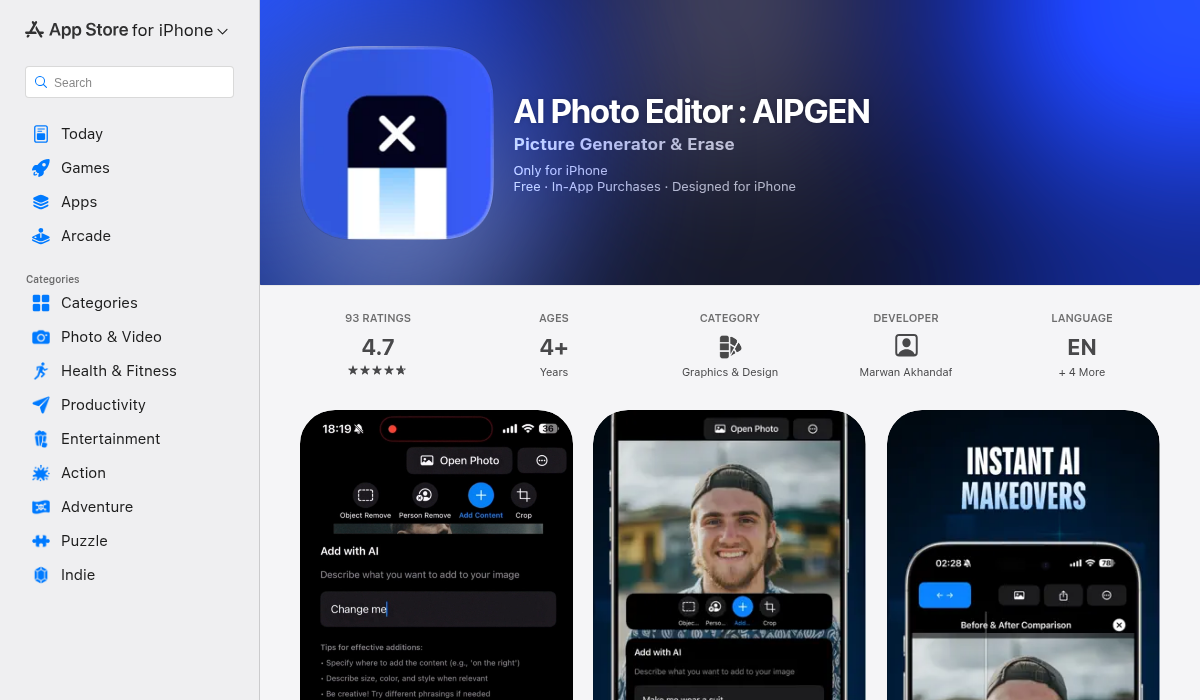
AIPGEN stands out because colorization is just one part of a complete photo restoration toolkit. What really sets it apart for family photos: you can colorize, then immediately fix scratches, remove unwanted elements, and enhance faded details — all in one app.
- ✅ Colorization + full restoration in one app
- ✅ 60+ AI templates for quick enhancements
- ✅ Photo restoration (fixes scratches, fading)
- ✅ Before/after slider for comparison
- ✅ Cross-platform (iOS + Android)
- ✅ Free trial edit available
- ❌ Premium required for unlimited edits
For family photo projects, this all-in-one approach saves significant time. Old photos rarely just need color — they usually have scratches, fading, or damage that also needs attention. AIPGEN handles the complete restoration workflow.
5. Colorize by Photomyne
Photomyne focuses on photo scanning and digitization, with colorization as an added feature. If you're starting with physical photos that need scanning, it's a convenient all-in-one solution.
- ✅ Scanning + colorization workflow
- ✅ Good for batch processing
- ✅ Album organization features
- ❌ Colorization quality is average
- ❌ Expensive subscription
- ❌ Overkill if photos are already digital
Best suited for digitizing entire photo collections. For individual photos, dedicated colorization apps deliver better results.
Our Testing Process and Results
We ran the same five test photos through each app:
- A formal studio portrait from 1920
- An outdoor family gathering from 1955
- A faded school photo from 1968
- A wedding photo from 1940
- A candid beach snapshot from 1972
Here's what we learned:
Skin tones: All apps handled Caucasian skin reasonably well. AIPGEN and Remini showed the most natural results across diverse skin tones. MyHeritage occasionally added an unnatural yellow cast.
Fabric and clothing: Period-appropriate colors varied widely. AIPGEN's restoration AI seemed to understand that 1920s photos likely feature muted earth tones, while some competitors applied overly vivid modern palettes.
Backgrounds: This is where many apps struggle. Outdoor scenes with grass, sky, and foliage require sophisticated understanding of natural colors. AIPGEN and Palette.fm handled these best.
Damaged photos: Only AIPGEN could handle the scratch removal and colorization in one workflow. Other apps required pre-processing in a separate app first.
Pro Tips for Better Colorization Results
- Start with the best scan possible — Higher resolution input means better AI output. Scan at 600 DPI minimum.
- Clean before colorizing — Remove scratches and stains first. AIPGEN's restoration tools make this seamless.
- Research the era — If you know the approximate decade, you can verify if colors look period-appropriate.
- Try multiple apps — Different AI models have different strengths. Sometimes combining results works best.
- Adjust after colorization — Most results benefit from slight saturation or warmth adjustments.
Common Colorization Mistakes to Avoid
Even the best AI can produce odd results. Watch for these issues:
- Oversaturation — Vintage photos often had muted colors. Ultra-vivid results look fake.
- Color bleeding — Check edges carefully. Hair meeting skin, or clothing meeting background, can get messy.
- Anachronistic colors — Neon pink didn't exist in 1890. Trust your historical knowledge.
- Ignoring context — A military uniform should be the correct color for that branch and era.
Free vs Paid: What's Worth the Money?
Most colorization apps offer free tiers with limitations:
- Remini: Limited daily credits, watermarks on free tier
- MyHeritage: Free colorization but reduced resolution
- AIPGEN: One free trial edit, then premium required
- Palette.fm: Free with some limitations
For a handful of photos, free tiers work fine. For a full family album project — dozens or hundreds of photos — a subscription pays for itself in time saved and quality gained.
The Bottom Line
If you just want quick colorization with minimal fuss, Remini delivers solid portrait results. For genealogy enthusiasts already using their platform, MyHeritage integrates smoothly.
But for family photo restoration projects where images need more than just color — scratches fixed, fading reversed, elements removed — AIPGEN is the most complete solution. The ability to colorize, restore, and enhance in one workflow, plus 60+ AI templates for quick improvements, makes it genuinely useful for bringing entire photo collections back to life.
Those shoeboxes of old family photos don't have to stay frozen in black and white. With today's AI tools, you can see your ancestors as they truly appeared — in full, vibrant color.