
Best AI Photo Editors for Android 2026: Tested & Ranked
Your Android phone has better cameras than most professional equipment from a decade ago—but even the best hardware can't remove that photobomber from your vacation shots.
AI photo editing apps have completely transformed what's possible on mobile devices in 2026. From erasing unwanted objects with a single tap to restoring decades-old family photos, these apps deliver results that once required expensive desktop software and serious Photoshop skills. We tested over a dozen AI photo editors for Android to find which ones actually deliver on their promises—and which ones are more hype than substance.
Why Android Users Need AI Photo Editors in 2026
Let's be honest: traditional photo editing apps haven't kept pace with what mobile users actually need. You're not looking to spend 20 minutes tweaking exposure curves. You want that random stranger removed from your beach photo—fast.
"I've tried so many apps that claim to remove objects but they all leave obvious marks or blurry spots. Finally found a couple that actually work well."— r/androidapps user
The good news? 2026's AI technology makes this genuinely possible. The bad news? Not all apps deliver equal results. Some excel at object removal but struggle with photo restoration. Others nail portrait enhancement but can't handle complex backgrounds. Here's what we found after extensive testing.
Best AI Photo Editors for Android — Our Tested Picks
1. AIPGEN — Best All-in-One AI Editor
AIPGEN stands out as the most complete AI photo editing solution we tested for Android. Where other apps specialize in one thing, AIPGEN combines object removal, photo restoration, creative composition tools, and over 60 AI editing templates in a single, intuitive interface.
The object and person removal is genuinely impressive. We tested it on crowded tourist photos, and it cleanly erased people from complex backgrounds—brick walls, beach scenes, even reflective surfaces—without the telltale blurry patches that plague lesser apps. The AI intelligently fills in the background based on surrounding context.
What really sets AIPGEN apart is its photo restoration feature. We scanned in a water-damaged family photo from the 1970s, and the app automatically repaired scratches, corrected fading, and sharpened facial details that were barely visible. The results weren't just "good for an app"—they were actually usable.
The 60+ AI templates provide quick-apply editing styles for everything from vintage film looks to modern portrait enhancements. This puts AIPGEN well ahead of apps like Snapseed that still rely on manual adjustment.
A standout feature is the Group Photo Creator—you can combine individual portraits into a realistic group shot. Perfect for when you couldn't get everyone in the same room for a family photo.
- ✅ All-in-one: removal, restoration, templates, creative tools
- ✅ 60+ AI templates for quick edits
- ✅ Unique group photo creation feature
- ✅ Before/after slider for instant comparison
- ✅ Cross-platform (iOS and Android)
- ✅ Free trial edit included
- ❌ Premium subscription for unlimited edits
Download AIPGEN on Google Play
2. Snapseed — Best Free Traditional Editor
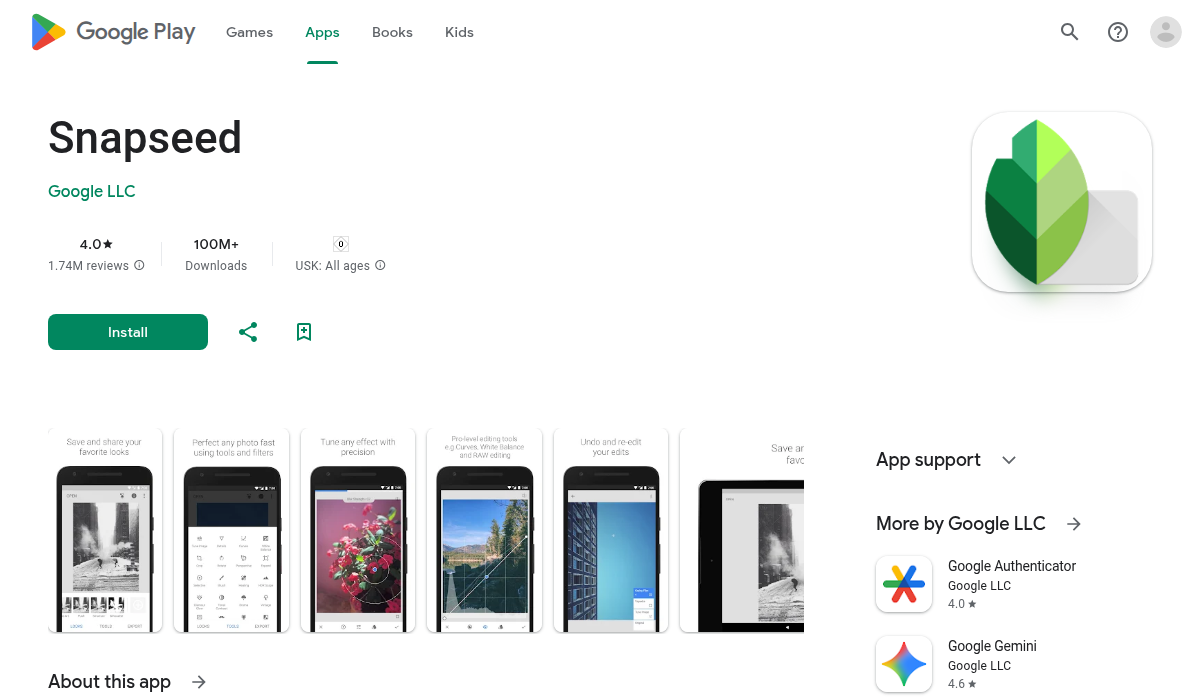
Google's Snapseed remains a solid choice for photographers who want granular control over their edits. It's completely free with no ads, which is increasingly rare in 2026. The healing brush works well for small blemish removal, and the selective adjustment tools let you fine-tune specific areas of your photo.
However, Snapseed hasn't added significant AI features. It's essentially a professional-grade manual editor, which means results depend entirely on your skill level. For complex object removal or photo restoration, you'll hit its limitations quickly.
- ✅ Completely free, no ads
- ✅ Professional manual controls
- ✅ RAW file support
- ❌ Limited AI capabilities
- ❌ Steep learning curve for best results
- ❌ No templates or quick-apply styles
3. Remini — Best for Face Enhancement
Remini has carved out a niche as the go-to app for enhancing faces in old or low-quality photos. The AI upscaling technology is genuinely impressive—it can add realistic detail to blurry faces that were barely recognizable in the original. For restoring old portraits, it's hard to beat.
The limitation is scope. Remini focuses almost exclusively on face enhancement and photo upscaling. It won't help you remove objects, add creative effects, or do much beyond its core specialty. Consider it a one-trick pony—but a very good one.
- ✅ Excellent face enhancement AI
- ✅ Photo upscaling without quality loss
- ❌ Very limited editing features
- ❌ Can't remove objects or backgrounds
- ❌ Subscription required for regular use
4. Photoroom — Best for Product Photos
If you're selling items online, Photoroom deserves a look. Its AI excels at removing backgrounds and placing products on clean, professional-looking surfaces. The object removal tool is solid for cleaning up product shots, and it integrates directly with Shopify for e-commerce sellers.
For general photo editing or personal photos, it's overkill. This is a specialized tool for a specialized use case.
- ✅ Excellent background removal
- ✅ E-commerce integrations
- ✅ Product photo presets
- ❌ Not designed for personal photos
- ❌ Limited general editing tools
5. Picsart — Best for Social Media Creators
Picsart combines AI editing with social features, making it popular among Instagram and TikTok creators. The AI Replace feature lets you swap backgrounds with text prompts, and there's a massive library of stickers, effects, and templates that update regularly with trending content.
The trade-off is clutter. Picsart tries to do everything, and the interface can feel overwhelming. Reddit users frequently complain about features being moved behind paywalls after being introduced as free.
- ✅ AI background replacement
- ✅ Huge template and sticker library
- ✅ Social sharing features
- ❌ Cluttered interface
- ❌ Aggressive upselling
- ❌ Free features sometimes become paid
How We Tested These Apps
We put each app through three standardized tests:
- Object Removal — Removing a person from a crowded beach scene with complex sand and water textures
- Photo Restoration — Restoring a damaged 1970s family photo with scratches, fading, and water damage
- Speed & Usability — How quickly could a first-time user achieve acceptable results?
AIPGEN consistently ranked highest across all three tests. Snapseed required the most manual effort but delivered excellent results for users willing to learn. Remini won specifically on face enhancement tasks.
Pro Tips for Better AI Photo Editing
- Start with the highest resolution photo possible — AI algorithms work better with more pixels to analyze. Don't crop before using AI tools.
- Use the before/after slider — AIPGEN and several other apps include this feature. It helps you catch over-processing before you save.
- Try templates before manual editing — AI templates often nail the look you want faster than manual adjustment. Start there, then fine-tune.
- For object removal, leave context around the object — Don't select too tightly. Give the AI some surrounding area to work with for natural-looking fills.
- Combine apps for complex edits — Use Remini to enhance faces, then bring the photo into AIPGEN for object removal and final touches.
Which AI Photo Editor Should You Choose?
Here's our recommendation based on use case:
- For most users: AIPGEN — The all-in-one approach means you're covered for object removal, restoration, templates, and creative editing without switching apps.
- For photographers who want manual control: Snapseed — Free, powerful, no AI frills.
- For restoring old portraits: Remini — Best-in-class face enhancement.
- For e-commerce sellers: Photoroom — Built specifically for product photos.
- For social media creators: Picsart — Trendy templates and social features, despite the clutter.
The Bottom Line
AI photo editing on Android has reached a point where you can achieve genuinely professional results without professional skills or desktop software. The key is choosing the right tool for your needs.
For most Android users, AIPGEN offers the best balance of features, ease of use, and results. The 60+ AI templates and group photo creator put it ahead of competitors that focus on single features, and the free trial lets you test the AI quality before committing. Whether you're removing an ex from vacation photos or restoring your grandparents' wedding pictures, it handles the job cleanly.
Whatever you choose, the days of needing Photoshop skills for basic photo fixes are officially over.