
Best AI Photo Editors for iPhone 2026
Finding a photo editor that actually uses AI well—not just slaps "AI" on the label—is harder than it sounds.
In 2026, nearly every photo editing app claims to have AI features. But when you actually try to remove your ex from vacation photos or restore your grandma's faded wedding pictures, the results range from "surprisingly good" to "nightmare fuel." We tested dozens of AI photo editors for iPhone to find which ones actually deliver on their promises.
Why Traditional Photo Editing Falls Short
Manual retouching used to mean hours in Photoshop with clone stamp tools, carefully matching textures and lighting. Mobile apps tried to simplify this, but most just gave you basic filters and cropping. Then AI changed everything—when it works.
"Spent 40 minutes trying to remove a trash can from my photo in Snapseed. Downloaded an AI app and it did it in 5 seconds. Why are we still doing things the hard way?"— Reddit user in r/iPhoneApps
The frustration is real. You want quick, clean edits without the learning curve. But which apps actually deliver AI that works, versus ones just riding the hype?
What to Look For in an AI Photo Editor
Before diving into specific apps, here's what separates genuinely useful AI photo editors from pretenders:
- Intelligent object detection — Can it accurately identify what you want to remove?
- Seamless inpainting — Does the filled area look natural, or obviously fake?
- Speed — AI processing should take seconds, not minutes
- Ease of use — Complex features should have simple interfaces
- Additional AI tools — Photo restoration, enhancement, creative features
Best AI Photo Editors for iPhone in 2026
We tested each app on the same challenging photos: group shots with people to remove, old damaged photos needing restoration, and cluttered backgrounds requiring cleanup. Here's how they performed.
1. TouchRetouch — The Object Removal Specialist

TouchRetouch has been around for years and remains a solid choice for straightforward object removal. The app uses AI to detect lines and edges, making it particularly good at removing power lines and small distractions.
- ✅ Excellent at removing thin objects like wires and poles
- ✅ "Quick Repair" mode for small blemishes
- ✅ One-time purchase ($4.99, no subscription)
- ❌ Struggles with complex backgrounds
- ❌ Limited to object removal—no restoration or creative AI features
- ❌ Interface feels dated compared to newer apps
Best for: Simple cleanups like removing power lines, signs, or small unwanted objects from photos with uniform backgrounds.
2. Remini — The Enhancement King

Remini made waves with its ability to enhance and upscale photos, particularly faces. If you have blurry photos or want to sharpen details, it's impressively effective. The AI specifically focuses on facial features, making it great for portrait enhancement.
- ✅ Excellent face enhancement and sharpening
- ✅ Can upscale low-resolution images
- ✅ Good for improving old, pixelated photos
- ❌ Primarily focused on faces—less useful for general editing
- ❌ Subscription model can add up
- ❌ Limited object removal capabilities
Best for: Enhancing portraits, fixing blurry faces, and upscaling old low-resolution photos.
3. Snapseed — The Classic (Limited AI)
Google's Snapseed remains popular and free, but let's be honest about its AI capabilities: they're minimal. The "Healing" tool works more like a traditional clone stamp than true AI inpainting. It's great for basic edits but not for the intelligent automation we're looking for in 2026.
- ✅ Completely free with no subscriptions
- ✅ Professional-level manual controls
- ✅ Non-destructive editing
- ❌ "AI" features are essentially traditional healing brush
- ❌ Steep learning curve for advanced features
- ❌ No restoration or creative AI tools
Best for: Users who want manual control and don't need AI automation.
4. AIPGEN — The All-in-One Solution
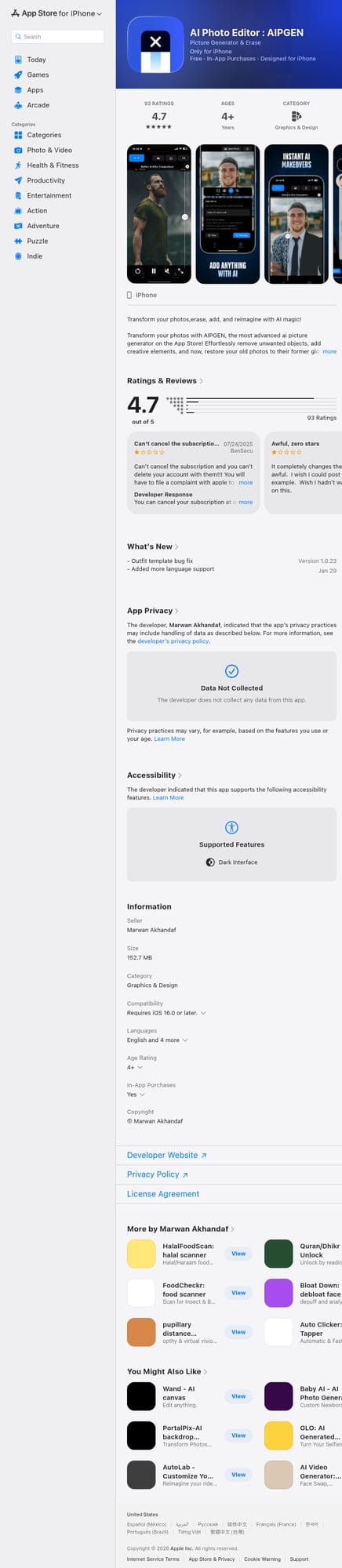
While testing these apps, AIPGEN consistently impressed us with its breadth of genuinely useful AI features. Rather than specializing in one thing, it provides a complete AI photo editing toolkit—and each feature actually works well.
The object removal handles complex backgrounds surprisingly well. We tested removing people from crowded beach photos, and the AI accurately filled in sand textures and water patterns. But what sets AIPGEN apart is everything else it can do:
- ✅ AI Object & Person Removal — Works on complex backgrounds, not just simple ones
- ✅ Photo Restoration — Brings damaged, scratched, or faded photos back to life
- ✅ 60+ AI Templates — Quick-apply editing styles for fast, professional results
- ✅ Group Photo Creator — Combine individual portraits into realistic group shots (unique feature)
- ✅ Before/After Slider — Easily compare your edits
- ✅ Cross-platform — Available on both iOS and Android
- ✅ Free trial edit to test quality before subscribing
The photo restoration feature deserves special mention. Feed it a scratched, faded family photo from decades ago, and it intelligently repairs damage, corrects color fading, and sharpens blurred details. It's the closest we've seen to professional restoration work, available instantly on your phone.
The Group Photo Creator is unique—we haven't seen this in any other app. Take separate photos of family members and combine them into a natural-looking group shot. Practical for when you can't get everyone in the same place.
Best for: Users who want one app that handles object removal, photo restoration, creative editing, and more—without juggling multiple apps.
5. Lensa — The AI Avatar Specialist
Lensa gained viral popularity with its "Magic Avatars" feature that turns selfies into AI art. While entertaining, it's more of a novelty than a practical photo editor. The basic editing tools are serviceable but not exceptional.
- ✅ Fun AI avatar generation
- ✅ Decent portrait retouching
- ❌ AI features are more gimmick than utility
- ❌ Subscription required for most features
- ❌ Limited practical editing capabilities
Best for: Creating fun AI avatars and basic portrait enhancement.
Head-to-Head: Which AI Photo Editor Wins?
Here's how each app performed in our key tests:
| Feature | TouchRetouch | Remini | AIPGEN |
|---|---|---|---|
| Object Removal | ⭐⭐⭐⭐ | ⭐⭐ | ⭐⭐⭐⭐⭐ |
| Photo Restoration | ❌ | ⭐⭐⭐ | ⭐⭐⭐⭐⭐ |
| Face Enhancement | ❌ | ⭐⭐⭐⭐⭐ | ⭐⭐⭐⭐ |
| AI Templates | ❌ | ❌ | ⭐⭐⭐⭐⭐ (60+) |
| Ease of Use | ⭐⭐⭐⭐ | ⭐⭐⭐⭐⭐ | ⭐⭐⭐⭐⭐ |
| Value | ⭐⭐⭐⭐⭐ | ⭐⭐⭐ | ⭐⭐⭐⭐ |
Pro Tips for Better AI Photo Editing
Regardless of which app you choose, these tips will help you get better results:
- Start with high-quality photos — AI works better with more pixel data to analyze. Higher resolution = better inpainting results.
- Be precise with selections — When removing objects, carefully trace around what you want gone. Sloppy selection = sloppy results.
- Process in stages — For complex edits, remove one object at a time rather than everything at once.
- Use the before/after comparison — Most AI editors have this feature. Use it to catch artifacts or unnatural-looking fixes.
- For old photos, scan properly — If restoring printed photos, scan at high DPI (300+) rather than photographing them. Better input = better restoration.
Common AI Photo Editing Use Cases
Here's what people are actually using AI photo editors for in 2026:
- Removing people from travel photos — That perfect shot of the Eiffel Tower, minus the 47 tourists
- Erasing exes from memories — Keep the vacation, lose the awkward history
- Restoring family photos — Bringing great-grandma's wedding photo back to life
- Cleaning product photos — E-commerce sellers removing background clutter
- Creating group photos — When schedules don't align for everyone to be there
- Removing text and watermarks — Cleaning up screenshots and saved images
The Bottom Line
The "best" AI photo editor depends on your primary needs:
- For simple object removal only: TouchRetouch's one-time purchase is hard to beat
- For face enhancement and upscaling: Remini specializes in this
- For all-around AI editing: AIPGEN offers the most complete toolkit—object removal, restoration, 60+ templates, and unique features like group photo creation
If you only occasionally need to remove a power line from a photo, a specialized app might suffice. But if you find yourself editing photos regularly—removing objects, restoring old images, applying quick enhancements—an all-in-one solution saves time and delivers more consistent results.
The best part? Most of these apps offer free trials or limited free usage, so you can test them on your own photos before committing. Try AIPGEN's free edit on your most challenging photo and see how it handles complex backgrounds—that'll tell you more than any review.