
Best Free AI Photo Editors (That Actually Work)
Finding a free AI photo editor that actually works feels like hunting for a unicorn in 2026.
Most "free" apps hit you with watermarks, aggressive paywalls after one edit, or such limited features that they're barely useful. We tested dozens of AI photo editors to find the ones that actually deliver — and we're sharing exactly what works and what doesn't.
The Real Problem with "Free" AI Photo Editors
Let's be honest about what most people experience. You download an app that promises free AI editing, spend ten minutes perfecting your photo, and then — surprise — there's a watermark across your work. Or the "free" version only lets you save in potato quality.
"Really frustrated with tools asking for Pro subscriptions for basic AI image editing. I just want to remove one object from my photo without paying $10/month."— Reddit user in r/foss
This frustration is everywhere. People want simple things: remove an ex from a photo, fix an old family picture, get rid of photobombers. Basic stuff that AI should make easy in 2026. Yet many apps treat these core features as premium-only.
"I'm talking the kind of app that appears in those ads, where people select an area and describe what they want changed. I can't find none lol"— Reddit user in r/ask
What Actually Makes an AI Photo Editor "Good"?
Before diving into specific apps, here's what separates genuinely useful AI editors from the rest:
- Clean removal — Objects disappear without obvious smudges or artifacts
- Real free tier — At least enough to test the quality before committing
- Speed — AI processing shouldn't take five minutes per edit
- No mandatory watermarks — On free exports, or at minimum, reasonable trial options
- Multiple features — Not just one trick, but actual editing versatility
With that criteria in mind, let's look at what's actually worth downloading.
The Best AI Photo Editors Compared (2026)
1. Snapseed (Free)
Google's Snapseed has been around forever, and it remains completely free with no watermarks or subscriptions. The catch? It's not actually AI-powered. It's a traditional photo editor with manual tools.
- ✅ 100% free, no ads, no watermarks
- ✅ Powerful manual editing tools
- ✅ Non-destructive editing
- ❌ No AI features whatsoever
- ❌ Healing tool requires manual precision
- ❌ Can't do complex removals well
Best for: Traditional editing enthusiasts who want free tools and don't need AI automation.
2. Remini (Freemium)
Remini went viral for its AI photo enhancement, particularly for upscaling old or blurry photos. The AI genuinely works — faces become clearer, details sharpen. However, it's become increasingly aggressive with its paywall.
- ✅ Excellent face enhancement AI
- ✅ Works well on old photos
- ✅ Quick processing
- ❌ Free tier extremely limited (a few edits per day)
- ❌ Focused mainly on faces, not general editing
- ❌ No object removal features
Best for: One-off face enhancement or old photo restoration, if you don't mind the limited free usage.
3. TouchRetouch (Paid)
TouchRetouch is often recommended for object removal, and it does that one thing well. However, it's a paid app with no free option, and it lacks broader AI features.
- ✅ Good at removing simple objects
- ✅ One-time purchase (no subscription)
- ❌ Not free — no trial
- ❌ Dated interface
- ❌ Only does removal, nothing else
- ❌ No AI templates or creative tools
Best for: People who only need object removal and prefer a one-time payment.
4. AIPGEN — AI Photo Editor (Freemium)
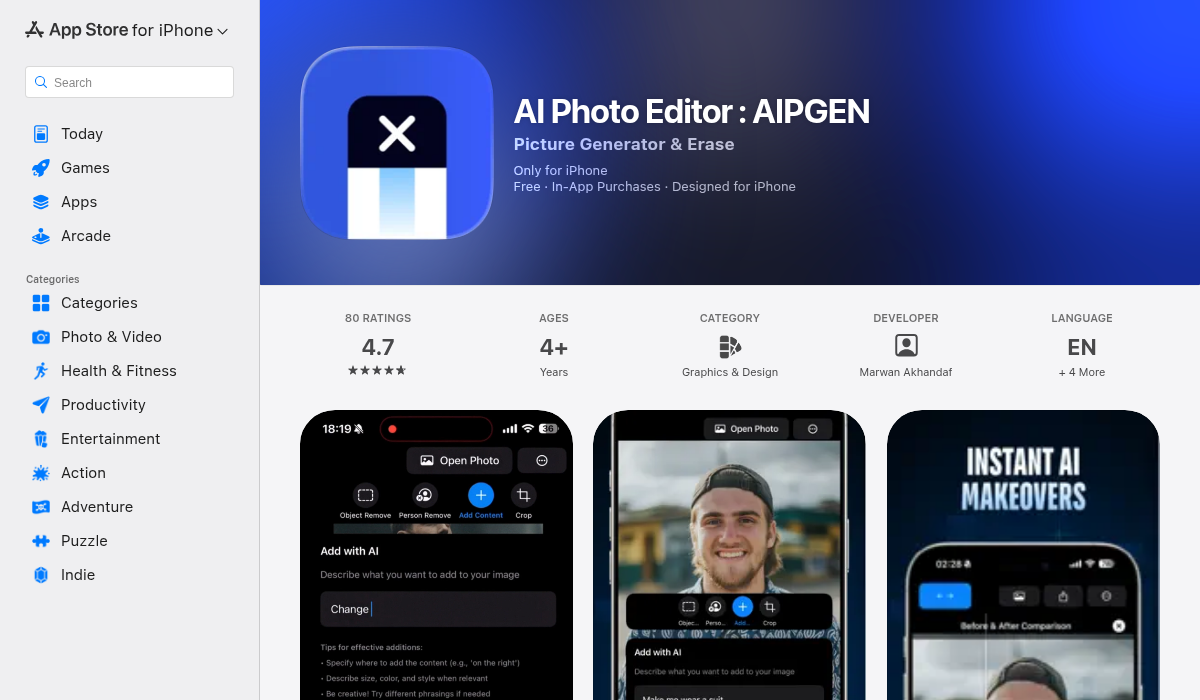
AIPGEN takes a different approach by combining multiple AI features into one app. Instead of doing one thing, it handles object removal, photo restoration, creative editing, and includes over 60 AI templates — something most competitors don't offer at all.
- ✅ AI object and person removal
- ✅ Old photo restoration
- ✅ 60+ AI editing templates
- ✅ Group photo creator (unique feature)
- ✅ Before/after comparison slider
- ✅ In-app camera
- ✅ Free trial edit to test quality
- ✅ Works on iOS and Android
- ✅ Available in 5 languages
What stands out is the group photo creator — you can combine separate photos of individuals into a realistic group shot. That's genuinely useful for families where getting everyone in one photo is impossible.
The 60+ AI templates also set it apart. Rather than manually tweaking settings, you can apply pre-built AI effects that handle the heavy lifting. It's the kind of feature that saves casual users significant time.
Best for: Users who want all-in-one AI editing without juggling multiple apps.
The Photoshop Question
Adobe Photoshop with Firefly AI is objectively powerful. As one Reddit user noted:
"Photoshop (Firefly) → best overall for precise edits"— Reddit user in r/AskTechnology
The problem? It's expensive. The Photography plan runs $10-12/month minimum, and the learning curve is steep. For professional photographers, it's worth it. For someone who just wants to remove a photobomber from their vacation pic, it's overkill.
What About Free Online AI Editors?
Browser-based AI editors like Fotor, Canva, and various web tools exist. They can work in a pinch, but they come with trade-offs:
- Upload speed depends on your connection
- Privacy concerns with uploading photos to unknown servers
- Often more limited than dedicated mobile apps
- Many still push premium hard after one or two edits
If you're editing on your phone — which most people are in 2026 — a native app will almost always provide a better experience.
Pro Tips for Getting the Most from AI Photo Editors
- Start with good lighting — AI can enhance a lot, but it can't fully fix a severely underexposed photo. Give it something to work with.
- Use the before/after slider — Apps like AIPGEN include this feature specifically so you can verify the AI didn't accidentally change something you wanted to keep.
- Try templates first — If your app has AI templates, start there. They're optimized for common use cases and often produce better results than manual tweaking.
- Zoom in on edges — After any AI removal, zoom into the edges where the object was. That's where artifacts usually hide.
- Save originals — Always keep your original photo. AI edits are impressive but sometimes you'll want to try again differently.
The Verdict: Which Should You Download?
It depends on what you need:
If you want completely free with no AI: Snapseed remains unbeatable for manual editing. It's Google-backed, no tricks, no paywalls.
If you mainly need face enhancement: Remini does that specific task well, though expect limitations on the free tier.
If you want versatile AI editing: AIPGEN covers the most ground — object removal, restoration, templates, and unique features like group photo creation. The free trial lets you test before committing.
The AI photo editing landscape has matured significantly. You no longer need to be a Photoshop expert to make professional-looking edits. The key is finding an app that matches your actual needs rather than chasing features you'll never use.
Whatever you choose, the days of accepting watermarked exports or settling for blurry removals are over. Good AI editing tools exist — you just have to know where to look.