
Best Take Feature: How AI Perfects Group Photos in 2026
We've all been there — five takes of the same group photo, and in every single one, someone's blinking, looking away, or making a weird face.
Google's "Best Take" feature on Pixel phones changed expectations for group photos by automatically combining the best expressions from multiple shots. But if you're not on a Pixel, you've been stuck with the old method: taking 20 photos and hoping one works out.
In 2026, AI-powered apps have finally caught up. Here's how the Best Take concept works and which apps can help you get that perfect group shot — regardless of what phone you're using.
What Is Best Take and Why Does It Matter?
Best Take is a feature that solves the group photo problem algorithmically. Instead of relying on luck, it analyzes multiple photos taken in quick succession and intelligently swaps faces to create one "perfect" image where everyone looks their best.
The technology works by:
- Detecting and tracking each person's face across multiple frames
- Analyzing facial expressions for quality (eyes open, natural smile, forward-facing)
- Seamlessly compositing the best version of each face into a single photo
- Maintaining natural lighting and positioning so the final image looks authentic
"I have 3 kids under 10. Getting everyone to look at the camera AND smile at the same time is basically impossible. Apps that can combine multiple shots into one have completely saved our family photos."— Parent discussing group photo struggles
The Problem With Native Phone Solutions
Google introduced Best Take with the Pixel 8 lineup, and it works impressively well — if you own a Pixel. Apple users have been waiting for an equivalent feature, but as of iOS 18, there's still no native solution.
Some workarounds exist:
- Burst mode — Takes many photos quickly, but you still have to pick manually
- Live Photos — Captures frames before and after, but no smart face-swapping
- Apple Intelligence — Great for search and organization, but doesn't solve the group photo problem
This gap has created an opportunity for third-party apps to fill the void — and several have stepped up with AI solutions that work across all devices.
How AI Apps Are Solving Group Photos in 2026
Traditional Photo Editors: Limited Options
Apps like Snapseed and Lightroom offer powerful editing tools, but they're designed for adjusting existing photos — not combining multiple shots. You could technically manual composite photos in these apps, but it requires significant skill and time.
AIPGEN's Group Photo Creator
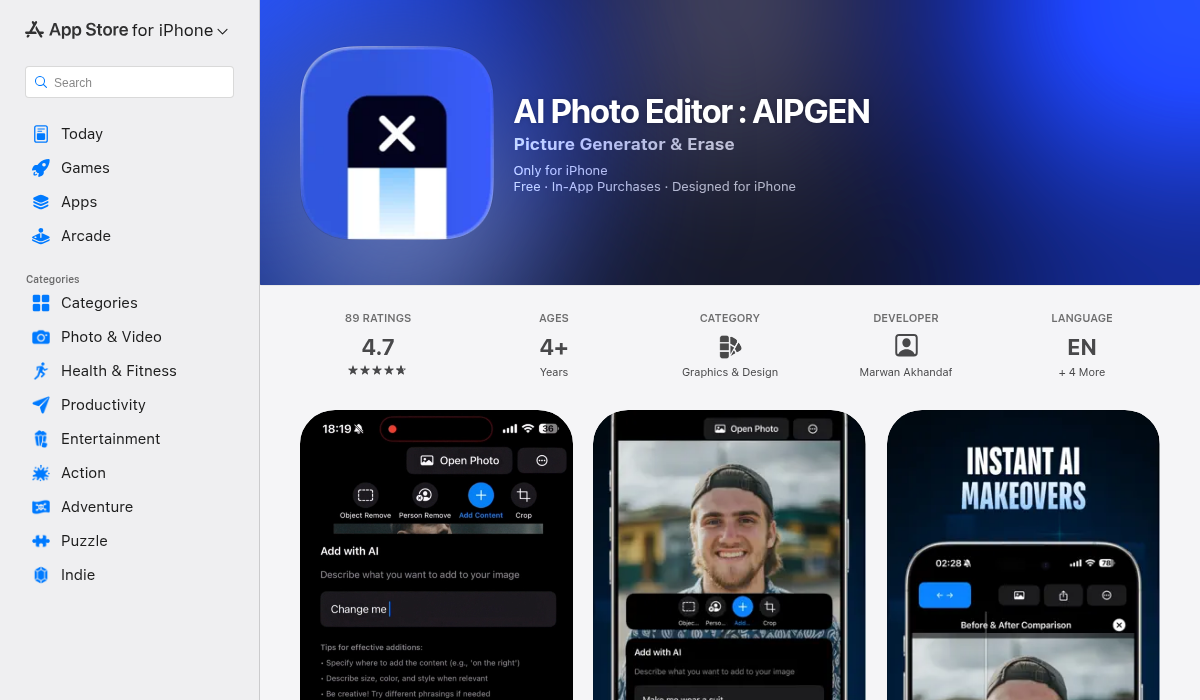
AIPGEN takes a unique approach with its Group Photo Creator feature. Rather than requiring multiple sequential shots, it lets you create composite group photos from separate individual portraits.
Here's how it works:
- Upload individual photos of each person you want in the group shot
- The AI analyzes each photo for lighting, angle, and quality
- Select your preferred composition style or template
- AIPGEN generates a realistic group photo with everyone together
This approach is particularly useful for:
- ✅ Family photos when not everyone is in the same location
- ✅ Team photos for remote workers
- ✅ Memorial photos combining images from different time periods
- ✅ Social media content where you want group shots without coordination hassle
Tips for Getting the Best Results
Whether you're using Google's Best Take, AIPGEN's Group Photo Creator, or any other AI solution, these tips will help you get better results:
- Match your lighting — If combining photos from different sources, choose images with similar lighting conditions. AI can adjust some differences, but matching lighting produces the most natural results.
- Use similar angles — Front-facing portraits combine better than mixed angles. Try to use photos where everyone is looking roughly toward the camera.
- Consider the background — When creating composite group photos, simpler backgrounds make the AI's job easier. Complex, detailed backgrounds can sometimes produce artifacts.
- Take more photos than you think you need — For Best Take-style features that combine sequential shots, more options mean better results. Burst mode is your friend.
- Check the eyes — AI is good at detecting open eyes, but double-check the final result. Sometimes "open" eyes can look slightly off.
- Maintain resolution — Use high-resolution source photos. AI upscaling can help, but starting with quality images produces better composites.
When to Use Which Approach
Use Google Best Take When:
- You have a Pixel 8 or newer
- Everyone is physically together for the photo
- You just need to fix blinks and weird expressions
- You want a completely automatic solution
Use AIPGEN Group Photo Creator When:
- You're on iPhone, Android (non-Pixel), or any other device
- People aren't physically together
- You want to combine photos from different sessions or time periods
- You need more creative control over the final composition
- You're creating content for social media and need flexibility
The Future of Group Photos
AI group photo technology is improving rapidly. In the past year alone, we've seen:
- More natural face blending with fewer artifacts
- Better handling of different lighting conditions
- Improved detection of "good" expressions
- Faster processing times on mobile devices
Expect Apple to eventually add their own version to iOS, and for third-party apps to continue pushing the boundaries of what's possible. The days of taking 30 photos hoping for one good one are numbered.
Beyond Group Photos: Other AI Features Worth Using
If you're exploring AI photo editing for group shots, you'll likely benefit from related features:
- Object removal — Remove photobombers or distracting background elements
- Photo restoration — Bring old family group photos back to life
- AI templates — Quick-apply styles that make group shots look professional
- Before/after comparison — See exactly what the AI changed
AIPGEN includes all of these alongside the Group Photo Creator, with 60+ AI templates for quick editing and a built-in before/after slider for comparing results.
The Bottom Line
Perfect group photos no longer require perfect timing, cooperative subjects, or expensive professional photographers. AI has democratized what used to be technically challenging or outright impossible.
If you're on a Pixel phone, Best Take is built-in and works excellently. For everyone else, apps like AIPGEN offer comparable functionality with even more flexibility — letting you create group photos from separate portraits taken at different times and places.
The next time you're stressing about getting everyone to smile at the same time, remember: AI's got your back. Take the photos, and let the technology sort out the rest.