
Cleanup.pictures vs AIPGEN: Which Removes Objects Better in 2026?
You've got a perfect travel photo, but there's a random stranger walking through the frame. Or maybe an ex you'd rather forget. Either way, you need that person gone — and the background filled in seamlessly.
In 2026, AI object removal has gotten surprisingly good. Two popular options that keep coming up are Cleanup.pictures (a web-based tool) and AIPGEN (an all-in-one mobile editor). But which one actually delivers better results when you need to erase objects, people, or text from your photos?
We tested both head-to-head to find out.
The Object Removal Challenge in 2026
Object removal isn't new — Photoshop users have been using the Clone Stamp for decades. But the tedious manual work is what's changed. Modern AI can analyze an image, understand what "should" be behind an object, and generate realistic fill content automatically.
The question isn't whether AI can do it anymore. It's which tool does it best, fastest, and with the fewest artifacts.
"Your brush is much smarter than Photoshop's. Stunning results. I removed a very tight, squiggly signature from a rather organically patterned background, and the integrity of the original image remains impeccable."— Reddit user in r/SideProject
That quote was about Cleanup.pictures — and it's a fair assessment of how far these tools have come. But mobile-first options like AIPGEN are catching up fast.
Cleanup.pictures: Quick Browser-Based Removal
Cleanup.pictures is about as simple as it gets. Visit the website, upload your image, brush over what you want gone, and the AI fills in the background. No account needed for basic use.
What It Does Well
- ✅ Zero friction — Works directly in your browser, no install required
- ✅ Fast processing — Results appear within seconds
- ✅ Decent quality on simple backgrounds — Great for sky, water, or uniform surfaces
- ✅ Free tier available — Though limited to 720p exports
Where It Falls Short
- ❌ Resolution caps — Free users get 720p max; HD requires $3/month subscription
- ❌ Complex backgrounds struggle — Busy patterns can reveal obvious AI artifacts
- ❌ No mobile app — Web-only means phone editing is clunky
- ❌ Single feature — Object removal only; no restoration, filters, or creative tools
- ❌ No batch processing — One image at a time
For quick fixes on a laptop — removing a date stamp, erasing a watermark, or cleaning up a product photo — Cleanup.pictures works well. But it's limited if you need more than one feature.
AIPGEN: All-in-One Mobile AI Editor
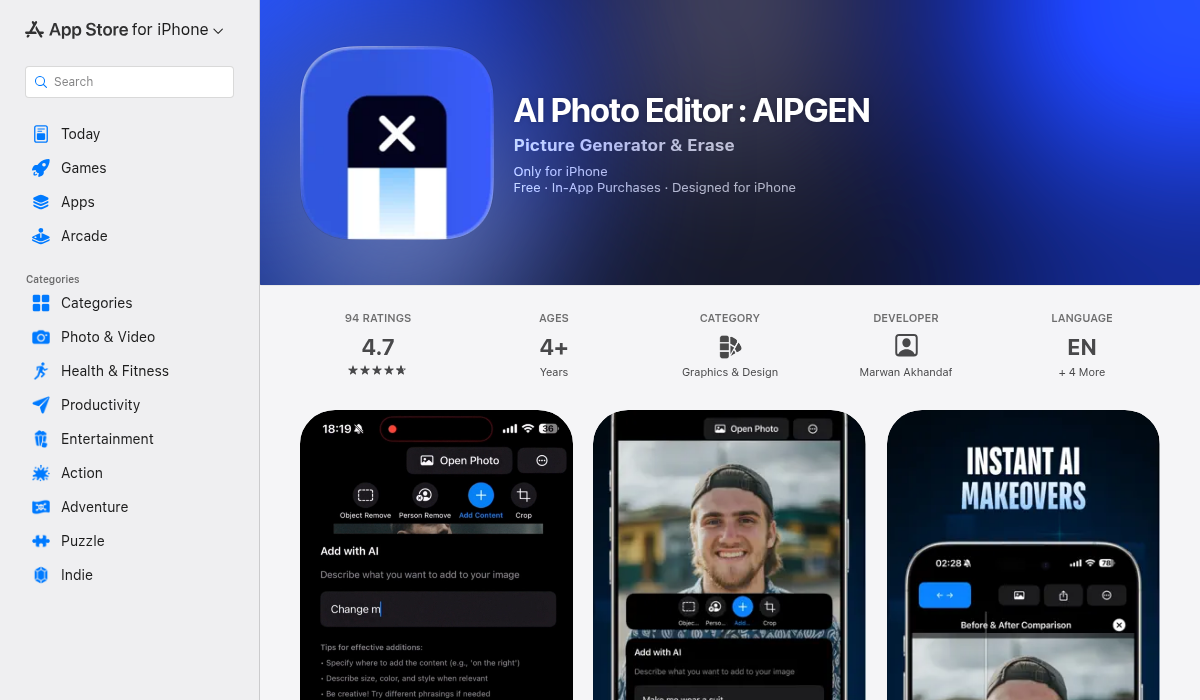
AIPGEN takes a different approach. Instead of being a single-purpose web tool, it's a full mobile editing suite with AI object removal as one of several features.
What It Does Well
- ✅ Smart object selection — AI automatically detects objects and people for easier removal
- ✅ Complex background handling — Better at reconstructing detailed textures and patterns
- ✅ Photo restoration — Fix old, scratched, or faded photos alongside object removal
- ✅ 60+ AI templates — Quick-apply editing styles for any use case
- ✅ Group photo creator — Unique feature that combines individual portraits into group shots
- ✅ Before/after slider — Interactive comparison of your edits
- ✅ Cross-platform — Native iOS and Android apps (not just web)
- ✅ Free trial edit — Test it on your actual photos before committing
Where It Falls Short
- ❌ Subscription model — Full access requires premium (though there's a free trial)
- ❌ Requires app install — Not browser-based like Cleanup.pictures
Head-to-Head: Which Removes Objects Better?
We tested both tools on three common scenarios:
1. Removing a Person from a Beach Photo
Cleanup.pictures: Handled the uniform sand and sky well, but struggled slightly at the water's edge where textures mixed.
AIPGEN: Produced a cleaner result, particularly where sand met water. The AI seemed to better understand the natural gradient.
Winner: AIPGEN
2. Erasing Text from a Complex Background
Cleanup.pictures: Decent on simple backgrounds, but left subtle artifacts on patterned surfaces.
AIPGEN: More consistent fill, though both tools required touch-ups on extremely busy patterns.
Winner: Tie (slight edge to AIPGEN on complex patterns)
3. Removing an Object from an Old Damaged Photo
Cleanup.pictures: Removed the object but couldn't address the photo's existing damage.
AIPGEN: Removed the object AND restored scratches and discoloration in the same workflow.
Winner: AIPGEN (the restoration combo is genuinely useful)
What Reddit Users Say
Looking at recent discussions, the trend is clear — users want more than just object removal:
"Great tool for usual 'background' objects etc. The way one would manually brush stuff away in Photoshop. But not very useful for removing text from the background in a handwritten signature."— Product Hunt review of Cleanup.pictures
That limitation — working well on "usual" cases but struggling with edge cases — is where all-in-one tools like AIPGEN have an advantage. More features mean more fallback options when one approach doesn't work.
Pro Tips for Best Results
- Start with high-resolution photos — AI removal works better with more pixel data to analyze. Lower-res images show artifacts more easily.
- Remove objects before restoration — If you're also restoring an old photo, remove unwanted elements first so the restoration AI has a cleaner canvas.
- Use the before/after slider — It's not just for show; it helps you spot subtle artifacts you might miss otherwise.
- Don't over-brush — Select only what needs removing. Larger selections give the AI more work and increase error chances.
- Try multiple angles — If one selection doesn't work, try approaching the object from a different direction or size.
The Bottom Line
Both tools have their place, but for different users:
Choose Cleanup.pictures if:
- You need a quick, free, browser-based fix
- You're working on a laptop without mobile
- Your backgrounds are simple and uniform
- You only need object removal, nothing else
Choose AIPGEN if:
- You edit photos on your phone regularly
- You need object removal plus restoration, templates, or creative tools
- You work with complex or textured backgrounds
- You want before/after comparison and gallery features
- You're restoring old family photos (the combo is powerful)
For pure object removal on simple images, Cleanup.pictures is a solid free option. But if you're doing any serious photo editing — especially on mobile — AIPGEN offers significantly more value. The 60+ AI templates and photo restoration features alone make it worth trying the free trial edit to see the difference yourself.