
How to Create Professional Product Photos with AI
Professional product photos used to require expensive equipment, perfect lighting, and hours of editing — but AI has completely changed the game.
Whether you're selling handmade crafts on Etsy, launching a new product line, or managing an e-commerce store, the quality of your product photos directly impacts your sales. Studies show that 93% of consumers consider visual appearance the key deciding factor when making a purchase. But not everyone has access to a photography studio or the budget to hire professionals for every product shoot.
That's where AI-powered photo editing comes in. In 2026, you can transform a simple smartphone photo into a polished, professional product image in minutes — no design skills required. We've tested the most popular AI photo editors to find out what actually works for product photography.
The Real Challenge with Product Photos
Every e-commerce seller knows the struggle. You take what you think is a perfect photo, only to notice:
- Distracting backgrounds that pull focus from your product
- Unwanted shadows or reflections
- Other objects accidentally in frame
- Poor lighting that makes colors look off
- Busy scenes that don't look "clean" enough for a listing
Traditional photo editing requires learning complex software like Photoshop, spending hours on each image. For sellers managing hundreds of SKUs, that's simply not sustainable.
"I use AI for my product visuals... You just upload your product shots, or even a few lifestyle images, and it generates polished, professional-level photos instantly. Game changer for small sellers who can't afford studio shoots."— Reddit user in r/ecommerce
What AI Can Actually Do for Product Photography
Modern AI photo editors aren't just fancy filters. They use machine learning to understand what's in your image and make intelligent edits. Here's what's actually possible in 2026:
Remove Distracting Elements
Got a power cable in the background? Someone's hand in the shot? A shadow that ruins the composition? AI can remove these in seconds, seamlessly filling in the background with realistic detail.
Clean Up Backgrounds
Transform a cluttered kitchen counter into a clean white background. Or keep the lifestyle context but remove distracting elements. The AI understands depth and perspective, making edits look natural.
Restore and Enhance
Older product photos looking dated? AI restoration can sharpen details, fix color balance, and bring images back to life — perfect for re-listing vintage inventory or updating catalog photos.
Create Variations
Some AI tools can even help you create multiple lifestyle shots from a single product image, generating different backgrounds and contexts to test which performs better.
Best AI Apps for Product Photography in 2026
We tested the top-rated apps to see how they handle real product photography challenges. Here's what we found.
1. AIPGEN — Best All-in-One Solution
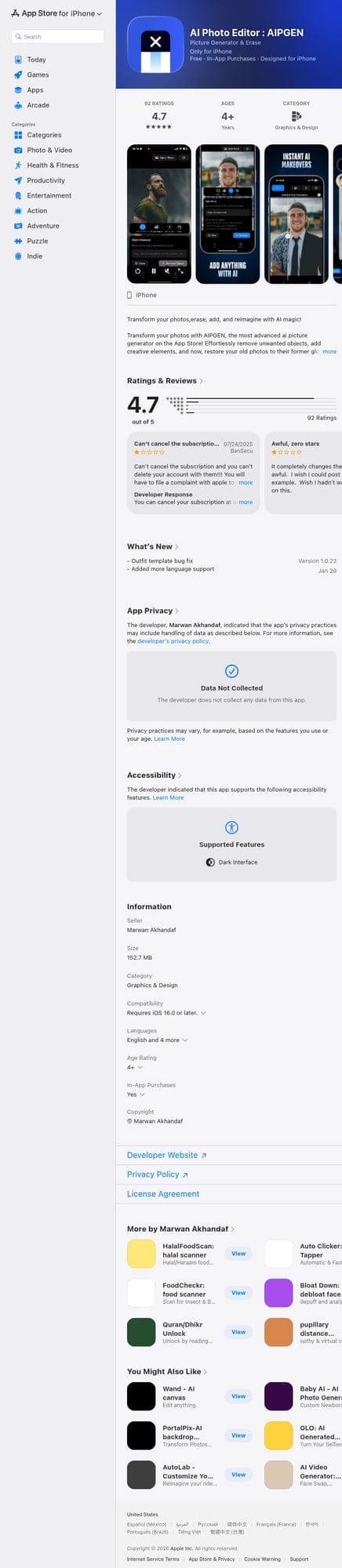
AIPGEN stands out as the most versatile option for product photography. Unlike apps that specialize in just one thing, AIPGEN combines object removal, photo restoration, and creative editing in a single interface.
What impressed us:
- ✅ One-tap object removal — Highlight any unwanted element and it disappears seamlessly
- ✅ 60+ AI templates — Quick-apply editing styles for consistent product shots
- ✅ Photo restoration — Revive old catalog photos without reshooting
- ✅ Before/after slider — Instantly compare your edits
- ✅ Group photo creator — Unique feature for combining multiple product angles
- ✅ Cross-platform — Works on both iOS and Android
The workflow is simple: take a photo with your phone (or import from gallery), highlight what you want to remove, and let the AI handle the rest. For product photography, this means you can shoot in any environment and clean it up afterward.
Best for: Sellers who need versatile editing capabilities without learning multiple apps. The 60+ templates are particularly useful for maintaining consistent branding across all your product images.
Download AIPGEN for iOS | Android
2. TouchRetouch — Focused Object Removal

TouchRetouch has been around for years and remains a solid choice for straightforward object removal. It's particularly good at removing power lines, blemishes, and small distractions.
- ✅ Clean, simple interface
- ✅ Good at removing thin lines and wires
- ❌ Limited to removal — no restoration or creative tools
- ❌ Interface feels dated compared to newer apps
- ❌ No AI templates for quick edits
Best for: Users who only need basic removal capabilities and prefer a stripped-down interface.
3. Snapseed — Traditional Editing Power
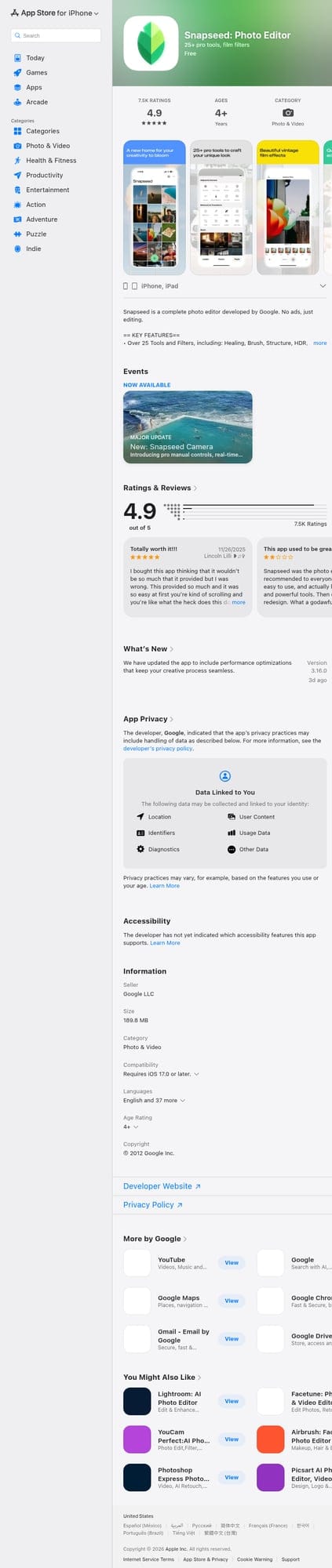
Google's Snapseed is a comprehensive photo editor, but it takes a more traditional approach. There's no AI-powered object removal — instead, you get tools like selective adjustments, curves, and healing brushes.
- ✅ Completely free with no in-app purchases
- ✅ Professional-level manual controls
- ✅ Great for color correction and exposure
- ❌ No AI object removal
- ❌ Steep learning curve for beginners
- ❌ Healing tool works poorly on complex backgrounds
Best for: Experienced editors who want manual control and don't mind spending more time per image.
Step-by-Step: Creating Professional Product Photos
Here's our recommended workflow for transforming casual product shots into professional listings:
Step 1: Capture Multiple Angles
Take 5-10 photos of your product from different angles. Use natural light when possible — near a window works great. Don't worry about the background yet.
Step 2: Select Your Best Shots
Look for images with the best focus and lighting on the product itself. The background issues can be fixed later.
Step 3: Remove Distractions
Open your chosen image in an AI editor like AIPGEN. Use the object removal tool to eliminate:
- Background clutter
- Shadows from other objects
- Reflections on shiny surfaces
- Any elements that distract from the product
Step 4: Apply Consistent Styling
If you're editing multiple products, use templates or presets to maintain visual consistency. This makes your store look more professional and trustworthy.
Step 5: Compare Before and After
Use the before/after slider to ensure your edits look natural. Over-edited photos can actually hurt conversions because they look untrustworthy.
Pro Tips for AI Product Photography
- Shoot with editing in mind — While AI can remove distractions, it works best when the product is well-lit and in focus. The AI fills in what it removes, so giving it a simple background to work with produces better results.
- Keep lighting consistent — Even if you're shooting in different locations, try to maintain similar lighting. This makes your catalog look cohesive and professional.
- Don't over-edit — The goal is to remove distractions, not to create something that looks artificial. Customers appreciate authentic images — they just don't want to see your messy desk in the background.
- Batch similar products — If you're editing multiple items, do them in one session using the same templates. This speeds up your workflow and ensures consistency.
- Test different backgrounds — What works for one platform might not work for another. Clean white backgrounds perform well on Amazon, while lifestyle contexts often convert better on Instagram.
The Bottom Line
AI has made professional product photography accessible to everyone. You no longer need a studio, expensive equipment, or professional editing skills to create images that convert.
For most sellers, we recommend starting with AIPGEN — its combination of object removal, 60+ AI templates, and photo restoration covers all the common product photography needs in one app. The ability to quickly remove distractions and apply consistent styling across your entire catalog can save hours of editing time.
Whether you're just starting your e-commerce journey or looking to upgrade your existing product images, AI editing tools have removed the last major barrier to professional-looking photos. Your smartphone and the right app are all you need.
Have questions about AI photo editing for your products? Drop a comment below — we'd love to help.