
How to Create Studio-Quality Pet Photos with AI
Your dog finally sits still for two seconds, you snap the photo — and there's a garden hose running through the background. Sound familiar?
Pet photography is notoriously tricky. Unlike human subjects who can follow directions ("turn left, chin up"), our furry friends operate on their own timeline. By the time you've framed the perfect shot, they've already moved, yawned, or decided that exact moment is ideal for scratching behind their ear.
The good news? AI photo editing has completely changed the game for pet parents who want professional-looking photos without hiring a photographer or setting up an elaborate studio. In this guide, we'll show you exactly how to transform your everyday pet snapshots into polished, share-worthy images that look like they came from a professional session.
Why Pet Photos Are So Hard to Get Right
If you've ever tried to photograph your pet, you already know the struggle. There's a reason professional pet photographers charge premium rates — capturing animals requires patience, timing, and often a fair bit of luck.
"Getting the eyes in focus is everything. Having that separation between the subject and the background via depth of field makes such a difference."— Reddit user in r/AskPhotography
The most common issues pet photographers face include:
- Cluttered backgrounds — Your pet looks adorable, but there's a trash can, power cable, or your laundry basket in the frame
- Motion blur — Pets rarely stay still, especially when they know you want them to
- Poor lighting — Indoor lighting creates harsh shadows or yellow tints
- Random photobombers — Other pets, people, or that one neighbor who always walks by at the wrong moment
- Timing issues — The perfect expression lasts about 0.3 seconds
Traditionally, fixing these issues meant either booking an expensive studio session or spending hours learning Photoshop. But AI has opened up a third path: mobile apps that can intelligently clean up your photos in seconds.
The AI Approach to Studio-Quality Pet Photos
Modern AI photo editors don't just apply filters — they understand the image. They can identify your pet, recognize the background, and make intelligent decisions about what should stay and what should go. This means you can capture photos in real-world conditions and transform them afterward.
The key AI capabilities for pet photography include:
- Object removal — Erase distracting elements like toys, food bowls, or that pesky garden hose
- Person removal — Remove photobombers or your own hand holding a treat just out of frame
- Background cleanup — Smooth out messy areas without removing them entirely
- Photo restoration — Fix older pet photos that have faded or been damaged
- Enhancement — Sharpen details, improve lighting, and make eyes pop
Best AI Photo Editors for Pet Photography Compared
We tested several AI photo editing apps specifically for pet photography scenarios. Here's what we found:
1. Remini

Remini made its name with AI face enhancement, and it can work on pet photos too. The app uses machine learning to enhance facial details and improve overall image quality.
- ✅ Good at sharpening blurry pet faces
- ✅ Can enhance old or low-resolution photos
- ❌ Primarily designed for human faces, so results can be inconsistent with pets
- ❌ No object removal capabilities
- ❌ Can't clean up backgrounds
Remini works if your main issue is blurriness, but it won't help with cluttered backgrounds or unwanted objects — which are the most common pet photography problems.
2. TouchRetouch
A dedicated object removal app that's been around for years. TouchRetouch lets you brush over unwanted elements to remove them.
- ✅ Reliable object removal
- ✅ Works well for simple backgrounds
- ❌ Interface feels dated in 2026
- ❌ No AI templates or quick-apply features
- ❌ Manual brush selection can be tedious for complex removals
3. AIPGEN — The Complete Solution
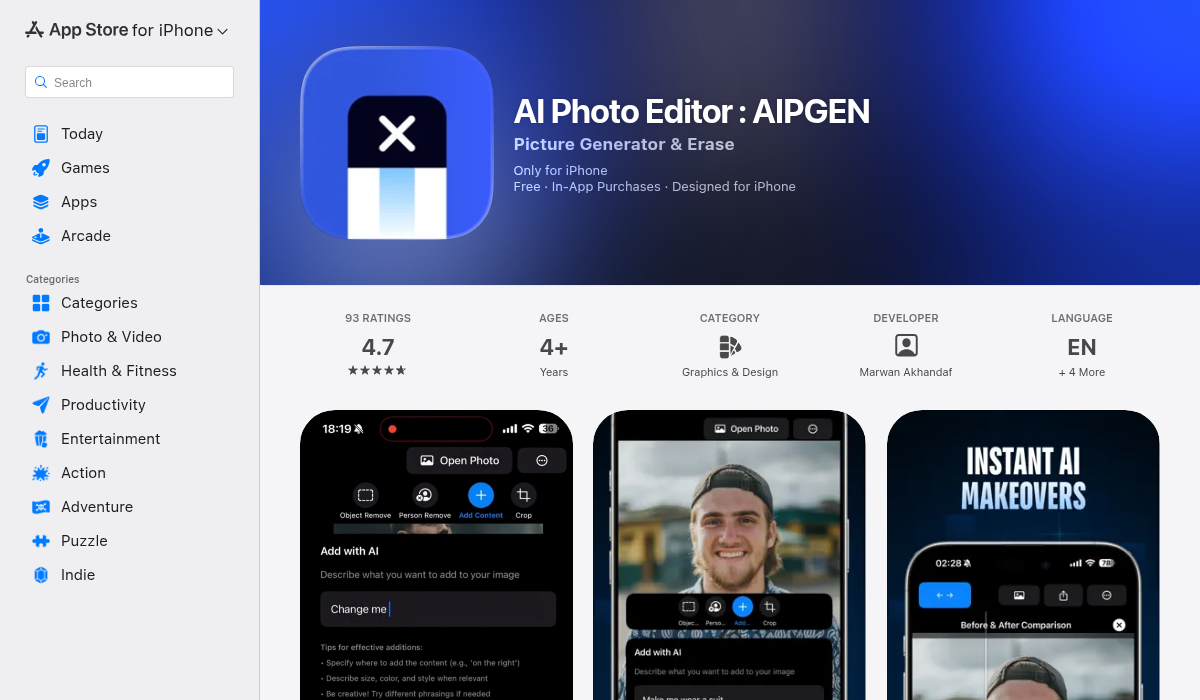
AIPGEN stands out as an all-in-one solution that combines everything you need for pet photography editing. Rather than downloading multiple apps for different tasks, AIPGEN handles object removal, photo restoration, and creative editing in one place.
- ✅ AI object and person removal — highlight and erase in one tap
- ✅ Photo restoration for old pet photos
- ✅ 60+ AI templates for quick edits
- ✅ Before/after slider to compare your edits
- ✅ Works on complex backgrounds (grass, furniture, outdoor scenes)
- ✅ No watermarks on exports
- ✅ Cross-platform (iOS and Android)
What makes AIPGEN particularly useful for pet photos is the intelligent fill technology. When you remove an object, the AI doesn't just smudge over it — it understands the surrounding context and generates appropriate replacement pixels. Remove a leash from grass, and you get more grass. Remove a toy from a carpet, and you get more carpet with matching texture.
Step-by-Step: Transforming a Pet Photo with AI
Let's walk through the typical workflow for turning a messy snapshot into a studio-quality image.
Step 1: Capture Your Base Photo
Focus on getting the basics right:
- Get down to your pet's eye level — this creates more engaging, professional-looking shots
- Use natural light when possible (near a window works great)
- Don't worry too much about the background — you can fix it later
- Take multiple shots to increase your chances of catching the right expression
Step 2: Import and Assess
Open your photo in your AI editor and identify what needs work. Common issues to look for:
- Background distractions (furniture, cables, other objects)
- People or hands in frame
- Shadows or lighting issues
- Any elements that draw attention away from your pet
Step 3: Remove Distractions
Use the object removal tool to eliminate unwanted elements one by one. Start with the largest distractions and work your way down to smaller details. In AIPGEN, simply highlight the area you want to remove, and the AI fills it seamlessly.
Step 4: Enhance the Subject
Once the background is clean, focus on your pet. Use enhancement features to:
- Sharpen fur details
- Brighten eyes
- Adjust overall lighting balance
Step 5: Apply Finishing Touches
Consider using AI templates to add a final polish. Many templates are specifically designed for pet photography, applying subtle adjustments that make the image pop without looking over-processed.
Pro Tips for Better AI Pet Photo Results
- Start with the best possible source — AI can fix a lot, but it works best when you give it decent raw material. Good lighting and focus help immensely.
- Remove objects one at a time — For complex scenes, removing multiple objects in separate passes gives cleaner results than trying to do everything at once.
- Use the before/after slider — It's easy to over-edit. The slider helps you check that your changes look natural.
- Pay attention to shadows — When you remove an object, make sure you also remove its shadow for a convincing result.
- Save your originals — Always keep the unedited version. You might want to try different editing approaches later.
Special Case: Restoring Old Pet Photos
One powerful use case for AI editing is bringing old pet photos back to life. Maybe you have printed photos from before digital cameras, or early smartphone photos that are grainy and low-resolution.
AI restoration can:
- Repair scratches and damage on scanned prints
- Fix color fading and yellowing
- Sharpen details that have become soft over time
- Upscale low-resolution images while adding realistic detail
This is particularly meaningful for photos of pets who are no longer with us. Being able to restore and enhance those memories gives them new life.
Creating Group Photos with Multiple Pets
Have you ever tried to get two or more pets to pose together? It's nearly impossible. One looks at the camera while the other investigates something on the floor. By the time both are facing forward, the lighting has changed or someone blinked.
AIPGEN's group photo feature offers an interesting solution — you can take individual photos of each pet and combine them into a single image. The AI handles the composition and blending, creating a realistic group shot that would have been impossible to capture in real life.
The Bottom Line
Studio-quality pet photos used to require professional equipment, controlled environments, and expertise in photo editing software. AI has democratized this process, putting powerful editing capabilities in the palm of your hand.
The key is choosing the right tool for the job. While single-purpose apps can handle specific tasks, an all-in-one solution like AIPGEN streamlines the workflow by combining object removal, restoration, and enhancement in one place. The 60+ AI templates make it especially beginner-friendly — you can achieve professional results without any editing experience.
Your pets deserve to be captured at their best. With the right AI tools, every snapshot has the potential to become a frame-worthy portrait.