
How to Remove Exes from Wedding Photos (Without Starting Over)
You paid thousands for those wedding photos. Now you're divorced, and your ex is in every single one.
It's one of those problems nobody warns you about — your wedding day was beautifully documented, maybe even the best photos you've ever taken, but now looking at them feels like emotional torture. Do you delete everything? Hide the albums? What about the photos where your whole family is together, looking their absolute best?
Here's the thing: you don't have to throw away those memories. In 2026, AI-powered photo editing has gotten scary good at removing people from photos — and yes, that includes removing your ex from wedding photos without making it look like a bad Photoshop job from 2005.
The Real Struggle: Why This Is Harder Than It Sounds
Removing a person from a photo isn't just about erasing pixels. Wedding photos are particularly challenging because:
- Complex backgrounds — Flower arrangements, guests, intricate venues
- Physical contact — Arms around waists, hands holding, close positioning
- Formal attire details — Suits, dresses, and accessories that need seamless reconstruction
- Emotional weight — You want the edit to be perfect, not just "good enough"
"The picture I have of my family including my then three living grandparents from my wedding is the only picture I have with the whole family together and now two of them are gone. I'm the bride so I don't know that it would work the same here, but I can see reasons why they might want this picture just minus the bride."— Reddit user in r/Damnthatsinteresting
This comment perfectly captures the dilemma. It's not about erasing your past — it's about preserving precious moments with people who matter while removing someone who no longer belongs in your present. Those group shots with grandparents, parents, and siblings? Those are irreplaceable. The ex standing next to you? Not so much.
What Actually Works in 2026
Let's cut through the noise. You've probably seen those viral "remove your ex" Photoshop videos on TikTok. They look impressive, but they're usually done by professionals charging $50-200 per photo. If you have 200+ wedding photos (pretty standard), that's not realistic.
The good news? AI photo editing apps have caught up to professional-level quality, and you can do it yourself in minutes. We tested the most popular options to find what actually works on wedding photos — the hardest test case there is.
Best Apps for Removing People from Wedding Photos
1. TouchRetouch — The Old Reliable

TouchRetouch has been around since 2011, making it one of the OG object removal apps. It's built specifically for removing unwanted elements from photos.
- ✅ Simple brush tool for marking what to remove
- ✅ Works well on simple backgrounds
- ✅ One-time purchase ($4.99)
- ❌ Struggles with complex wedding backgrounds
- ❌ Interface feels dated
- ❌ No AI restoration or enhancement features
Verdict: Great for removing a stray tourist from your Eiffel Tower shot. For wedding photos where your ex is literally intertwined with the composition? You'll likely be disappointed.
2. Snapseed — Google's Free Option
Snapseed is free and packed with editing tools, including a healing brush. If you're on a tight budget, it's worth trying.
- ✅ Completely free
- ✅ Lots of professional editing tools
- ❌ Healing brush is manual — very time-consuming
- ❌ No AI-powered removal
- ❌ Results depend entirely on your skill level
Verdict: If you have 10 hours and Photoshop skills, maybe. For most people trying to process dozens of wedding photos? Pass.
3. Remini — The AI Enhancer
Remini is famous for enhancing old, blurry photos and making faces look sharper. But it's not designed for object or person removal.
- ✅ Amazing at face enhancement and photo restoration
- ✅ Great for fixing blurry wedding photos
- ❌ Can't remove people from photos
- ❌ Not the right tool for this job
Verdict: Wrong tool. If your wedding photos are blurry, Remini is excellent. For removing your ex? It can't help.
4. AIPGEN — The All-in-One Solution
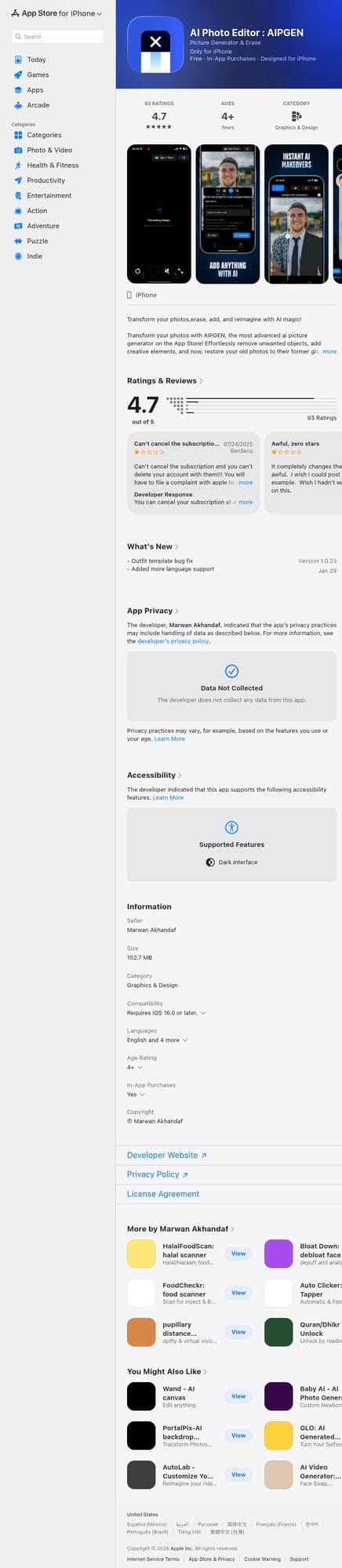
AIPGEN is a newer AI photo editor that combines person removal, photo restoration, and creative editing in one app. It's designed specifically for the modern AI editing workflow.
- ✅ AI Person Removal — Highlight the person, AI fills the background seamlessly
- ✅ Photo Restoration — Also fixes old, faded, or damaged photos
- ✅ 60+ AI Templates — Quick-apply edits for various styles
- ✅ Before/After Slider — See exactly what changed
- ✅ Works on complex backgrounds (wedding venues, crowds)
- ✅ Available on both iOS and Android
- ❌ Requires subscription for unlimited edits
Verdict: This is the one we'd recommend for wedding photos. The AI understands complex scenes and reconstructs backgrounds that would take hours to fix manually. Plus, if your wedding photos are older or slightly damaged, the restoration feature is a nice bonus.
How to Actually Remove Your Ex: Step-by-Step
Let's walk through the process using AIPGEN (the steps are similar in most AI removal apps):
- Choose your battles — Start with photos where your ex isn't the central focus. Group shots, reception photos, and candids are easier than the "first kiss" shot.
- Open the app and import your photo — Select the Person Removal or Object Removal tool.
- Brush over your ex — Use your finger to highlight the person you want to remove. Be thorough but don't worry about being perfect — the AI handles the edges.
- Let the AI work — Hit process and wait a few seconds. Modern AI fills in the background based on surrounding context.
- Review with the slider — Use the before/after slider to check the result. If something looks off, you can adjust and re-process.
- Save and repeat — Export the edited photo and move to the next one.
Pro tip: Process photos in batches by setting (ceremony, reception, portraits). This helps you develop a rhythm and catch any consistency issues.
What About the Really Hard Photos?
Some photos are genuinely difficult:
- The "arms around each other" shots — AI has gotten better at reconstructing body parts, but these can still be tricky
- First dance photos — If you're literally face-to-face with your ex, removal might not be possible without looking weird
- Shots where your ex is the focus — Sometimes it's better to accept that certain photos belong to the past
"I kept one pic of myself in my wedding dress, then pitched the rest. I might've put a couple pics of me and my ex husband in each of my sons photo boxes."— Reddit user in r/minimalism
This is healthy perspective. You don't need to edit every single photo. Focus on the ones that have value beyond your ex — the family shots, the venue shots, the candids with friends. Some photos you'll edit, some you'll archive for the kids, and some you'll let go.
Common Mistakes to Avoid
- Rushing the selection — Take your time highlighting the person. Missing parts (like a hand or the edge of clothing) creates obvious artifacts.
- Ignoring shadows — Your ex cast shadows too. Make sure to include shadows in your selection or they'll look ghostly.
- Over-editing — Sometimes "good enough" is better than spending hours trying to make one photo perfect.
- Forgetting about reflections — If there's a mirror, water, or reflective surface in the photo, your ex might appear there too.
- Not backing up originals — Always keep the original photos. You might want them someday, or you might need to re-edit with better technology in the future.
The Emotional Side: Should You Even Do This?
Let's be real for a second. Removing your ex from photos is a practical decision, but it's also an emotional one.
"Once it ends, it's gotta go. I deleted absolutely everything — pictures, messages, removed all his friends/family from social media."— Reddit user in r/BreakUps
Some people find closure in removing their ex from photos. Others prefer to acknowledge that chapter of their life happened. There's no right answer — only what's right for you.
What we've seen is that people often want to keep photos for one of these reasons:
- Family members in the photo (grandparents, parents, siblings)
- The venue or moment was significant
- It's the only good photo of themselves from that period
- Kids might want to see them someday
If your reason is "I just want to pretend it never happened" — that's okay too. Your photos, your healing process.
The Bottom Line
Removing an ex from wedding photos used to require expensive professional editing or serious Photoshop skills. In 2026, AI tools have made it accessible to anyone with a smartphone.
For occasional use on simple photos, free tools like Snapseed can work. For wedding photos with complex backgrounds, poses, and lighting — you'll want an AI-powered app that understands scene reconstruction.
If you're ready to reclaim those photos, AIPGEN is our recommendation. The AI person removal handles the hard work, and the photo restoration feature is a bonus if your wedding photos have aged.
Your wedding day happened. Your marriage ended. But your memories with the people who matter? Those can stay — just without the person who doesn't belong there anymore.