
How to Remove Watermarks from Photos Ethically in 2026
You've found the perfect photo — but there's a watermark splashed across it. Before you reach for that AI removal tool, let's talk about when it's actually okay to remove watermarks and how to do it without crossing ethical (or legal) lines.
Watermark removal has become incredibly easy in 2026. AI tools can erase them in seconds, leaving barely a trace. But just because you can doesn't always mean you should. This guide covers the legitimate scenarios where watermark removal is perfectly fine, plus the best tools to get clean results.
When Is Watermark Removal Actually Ethical?
Let's clear up the confusion. Watermark removal isn't inherently wrong — it depends entirely on context. Here are situations where it's completely legitimate:
1. Your Own Photos
If you added a watermark to your own image and now want it gone, that's entirely your choice. Maybe you're updating branding, preparing a print version, or simply changed your mind.
2. Photos You've Purchased or Licensed
Many stock photo sites show watermarked previews. Once you purchase the license, you receive the clean version. But what if you bought a photo years ago and lost the original? Removing the watermark from your backup copy is fine — you already own the rights.
3. Old Personal Photos with Outdated Branding
This comes up constantly. Someone paid a photographer for family photos, but the studio closed or lost the originals. All they have are proofs with watermarks.
"I paid my photographer $450 for a two hour session of my proposal. He sent me a link with his watermarks and there's no easy way to download clean versions."— Reddit user in r/photography
In cases like this, some photographers will provide a "copyright release form" letting you have the watermark removed by a third party. Always ask first — most photographers are reasonable about situations where they can no longer provide the originals.
4. AI-Generated Images with Tool Watermarks
Many AI image generators add watermarks to free-tier outputs. If you created the image using a prompt, you generally have the right to use it — including removing the watermark (check the specific platform's terms).
"I'm using DreminaAI to generate images, and some come with watermarks. I'm wondering if it's allowed to remove these, especially for videos or social media."— Reddit user in r/NewTubers
When Watermark Removal Is NOT Okay
Let's be equally clear about the unethical scenarios:
- ❌ Removing watermarks from photos you haven't paid for
- ❌ Using watermark-free versions without a license
- ❌ Passing off someone else's work as your own
- ❌ Commercial use of watermarked stock photos
In the US and most countries, removing watermarks from copyrighted content you don't have rights to can violate the DMCA (Digital Millennium Copyright Act). It's not just unethical — it's illegal.
The Technology: How AI Watermark Removal Works
Modern AI tools don't just "erase" watermarks — they intelligently reconstruct what's underneath. Using machine learning trained on millions of images, these tools predict what the original pixels should look like based on surrounding context.
The results in 2026 are genuinely impressive. Complex backgrounds, textured surfaces, even faces — AI handles them all remarkably well. What once took hours in Photoshop now takes seconds.
Best Tools for Ethical Watermark Removal
AIPGEN — All-in-One AI Photo Editor
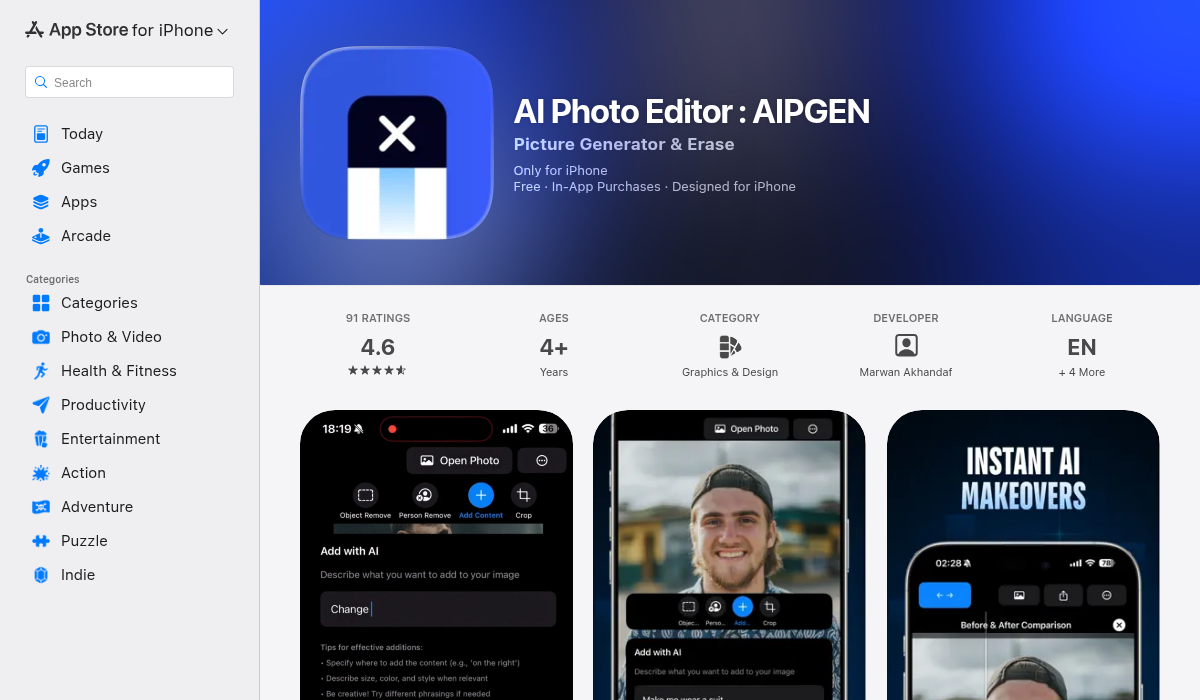
While marketed as a general AI photo editor, AIPGEN's object removal feature handles watermarks exceptionally well. The advantage? You're not using a sketchy "watermark remover" site — you're using a legitimate photo editing app with multiple uses.
Key features for watermark removal:
- ✅ AI Object/Person Removal — highlight any area and it's gone
- ✅ No obvious artifacts or marks left behind
- ✅ Works on complex backgrounds
- ✅ 60+ AI templates for additional edits
- ✅ Before/after slider to verify results
- ✅ Available on iOS and Android
The process is simple: open your photo, select the watermark area with your finger, and tap remove. AIPGEN's AI analyzes the surrounding pixels and fills in the gap seamlessly.
Beyond watermarks, AIPGEN handles photo restoration (bringing old damaged photos back to life), person removal (the ex in your vacation pics), and even creative composition. It's the kind of app you'll keep using long after that one watermark is gone.
Photoshop (Desktop)
Adobe's Content-Aware Fill has been doing this for years, and the AI has improved significantly. If you already have a Creative Cloud subscription, this works well — though it's overkill if watermark removal is your only need.
Online Tools
Sites like unwatermark.ai and watermarkremover.io exist, but come with caveats:
- ⚠️ Your images get uploaded to unknown servers
- ⚠️ Quality varies significantly
- ⚠️ Many have aggressive upselling
- ⚠️ Privacy concerns with personal photos
For personal or sensitive photos, a local app like AIPGEN is safer since everything happens on your device.
Pro Tips for Clean Watermark Removal
- Work with the highest resolution available — AI needs pixels to work with. The more detail, the better the reconstruction.
- Don't rush the selection — Take time to carefully highlight just the watermark. Including too much surrounding area makes the AI's job harder.
- Handle text watermarks first — If there's both a logo and text, remove them separately for cleaner results.
- Check edges carefully — Zoom in after removal. Sometimes edges need a second pass or minor touch-up.
- Use the before/after slider — Apps like AIPGEN let you compare instantly. Make sure nothing looks off before saving.
The Photographer Perspective
It's worth understanding why photographers watermark in the first place. Watermarks protect their work from unauthorized use, help maintain credit when images get shared, and encourage clients to purchase the full versions.
"My clients are using AI to remove watermarks and I'm losing all post control/profit. Look into AI resistant watermark solutions like Digimarc or Imatag."— Reddit user in r/photography
If you're in a legitimate situation where you need watermarks removed from photos you've paid for, communication is usually the answer. Most photographers understand that studios close, files get lost, and life happens. A quick email explaining your situation often gets you the clean files you need — or at least written permission to have them cleaned up yourself.
The Bottom Line
Watermark removal is a tool — ethical or unethical depending entirely on how you use it. For your own photos, purchased images, or AI-generated content you created, go ahead. For someone else's copyrighted work? Support the creator and pay for a license.
If you need to clean up legitimate photos, AIPGEN handles it beautifully while giving you a full suite of AI photo editing tools. One app, multiple uses, no sketchy websites involved.
The technology will only get better. Use it responsibly.